
English source · 13 min
Product management and category navigation
Merchant catalogue setup: CSV upload, URL extraction, described demo products, private image jobs and native staged review.
VEYNDO Studio now owns one Products workspace. The Products tab provides a server-filtered, cursor-paginated list; Categories provides the translated category tree. Select a product to edit the complete native aggregate, or choose Create product. A new product starts inactive. Set its number, name, price, stock and assignments, then save. Activation makes it available through the same Store API consumed by the storefront.
The interface supports English, German, French and Spanish. Content editors use every enabled shop content language. Change Content language to edit the corresponding name, short description, rich description, specifications and SEO fields. Missing/null fields inherit the shop main language; an explicitly empty description stays empty. Viewing a fallback never saves a fabricated translation. Existing rich descriptions remain language-specific. Changing the Studio interface language keeps the selected product, content language and unsaved draft open; switching shops or environments starts a separate scoped workspace.
3D product media: Upload GLB models, bind SKU materials, preview privately and publish with the product.
Product detail workspace
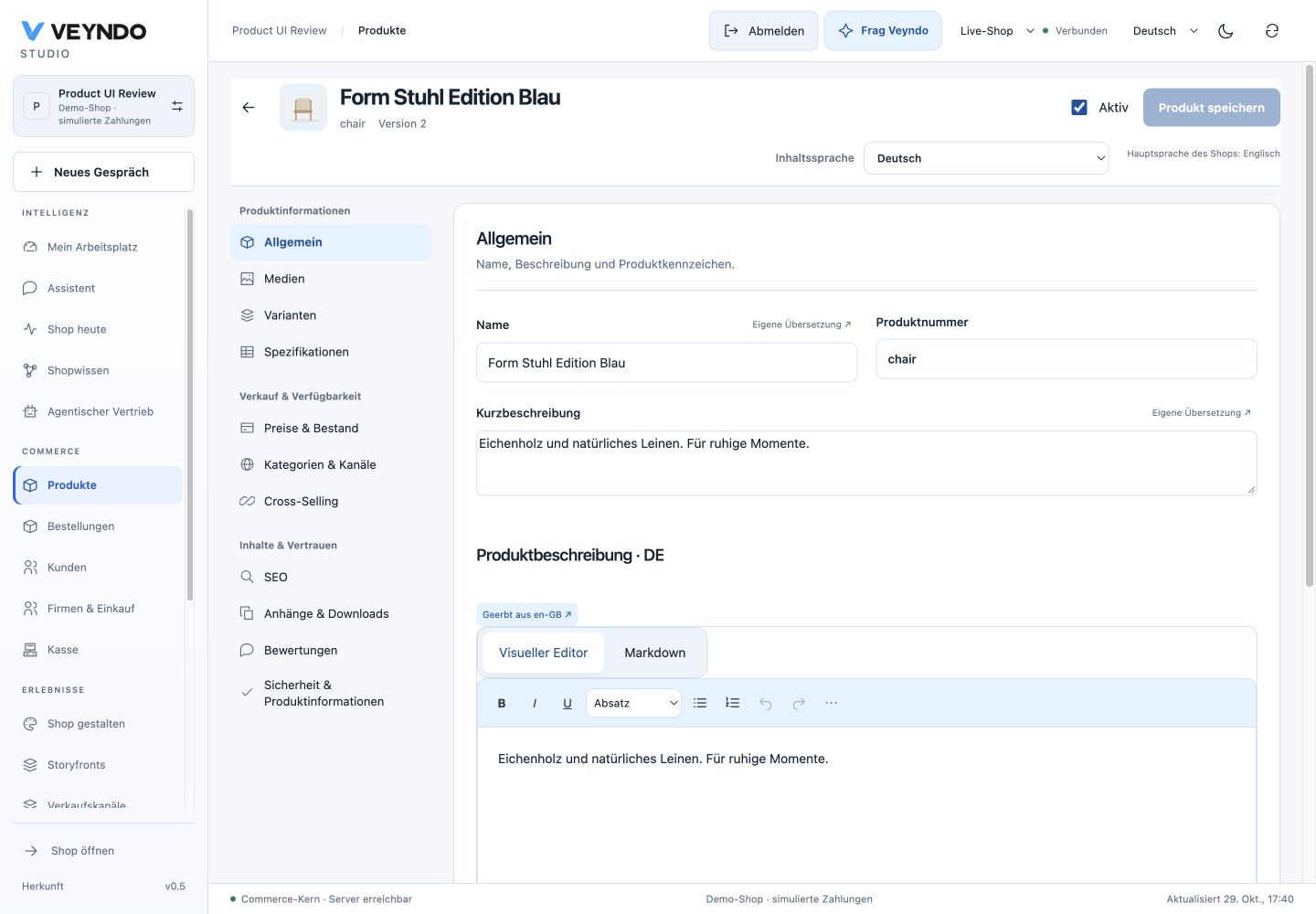
The product header keeps the image, name, product number, version, unsaved state, activation and save action together. The shared Content language picker stays above every section. There is no separate back row or language card pushing the editor down the screen. The desktop header stays visible while scrolling.
The section navigation groups product information, sales and availability, and content and trust. Installed product-tab apps appear in their own group and retain the same product context and permissions. Arrow keys move focus; Enter or Space opens the focused section. On narrow screens, a grouped Product section selector replaces the sidebar. Both controls retain the same unsaved draft and content locale.
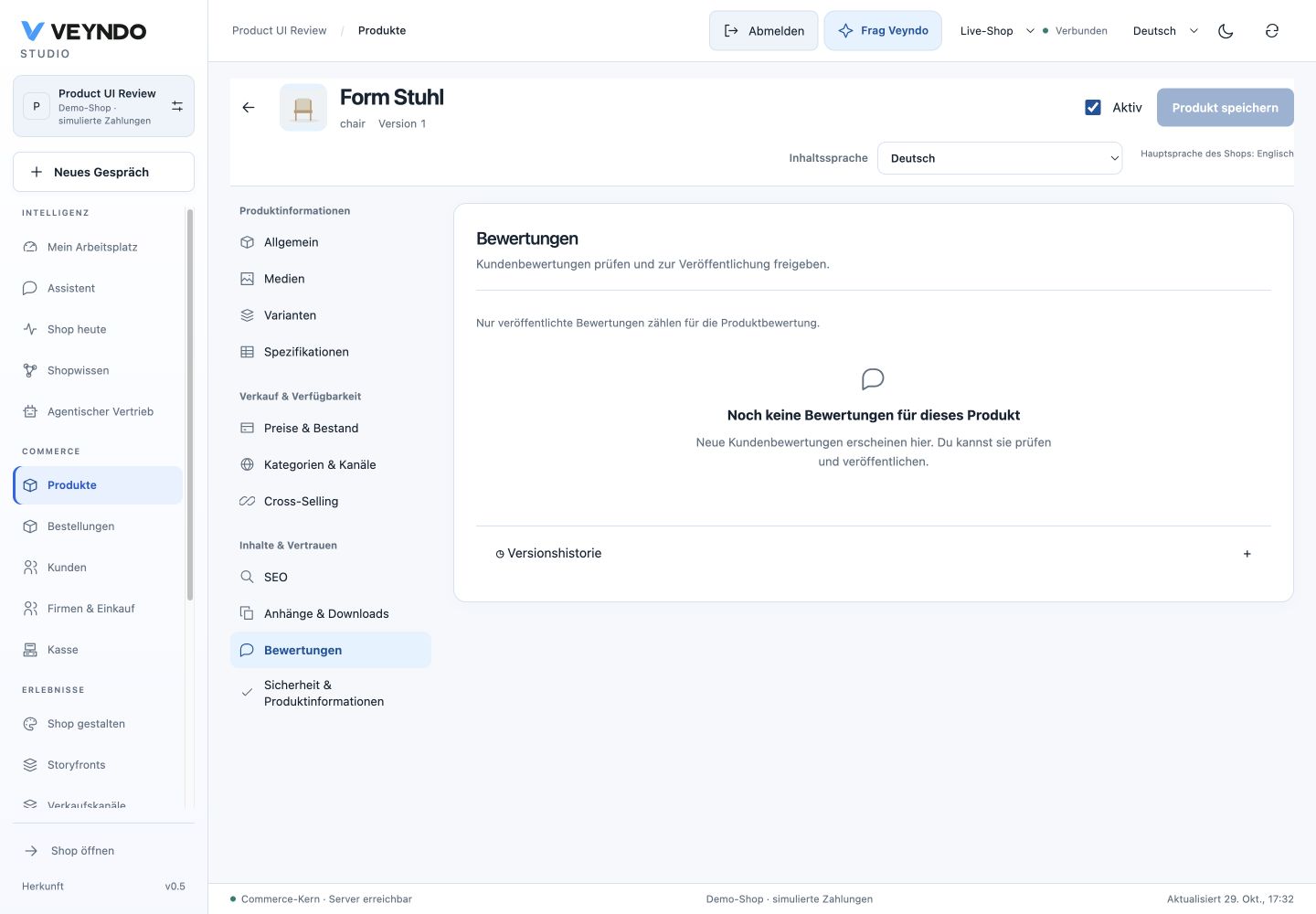
Name and product number share the first row; the short description follows at full width. Each section explains its purpose, review moderation has an explicit empty state, and version history remains accessible inside the editing panel. These are presentation changes: native save/CAS, untouched-stock omission, rich-text buffer protection, app authorization and field inheritance keep their existing owners.
- General: name, unique shop-local product number, short description, visual rich description, manufacturer identity, manufacturer number, EAN/GTIN, digital product and free-shipping flags.
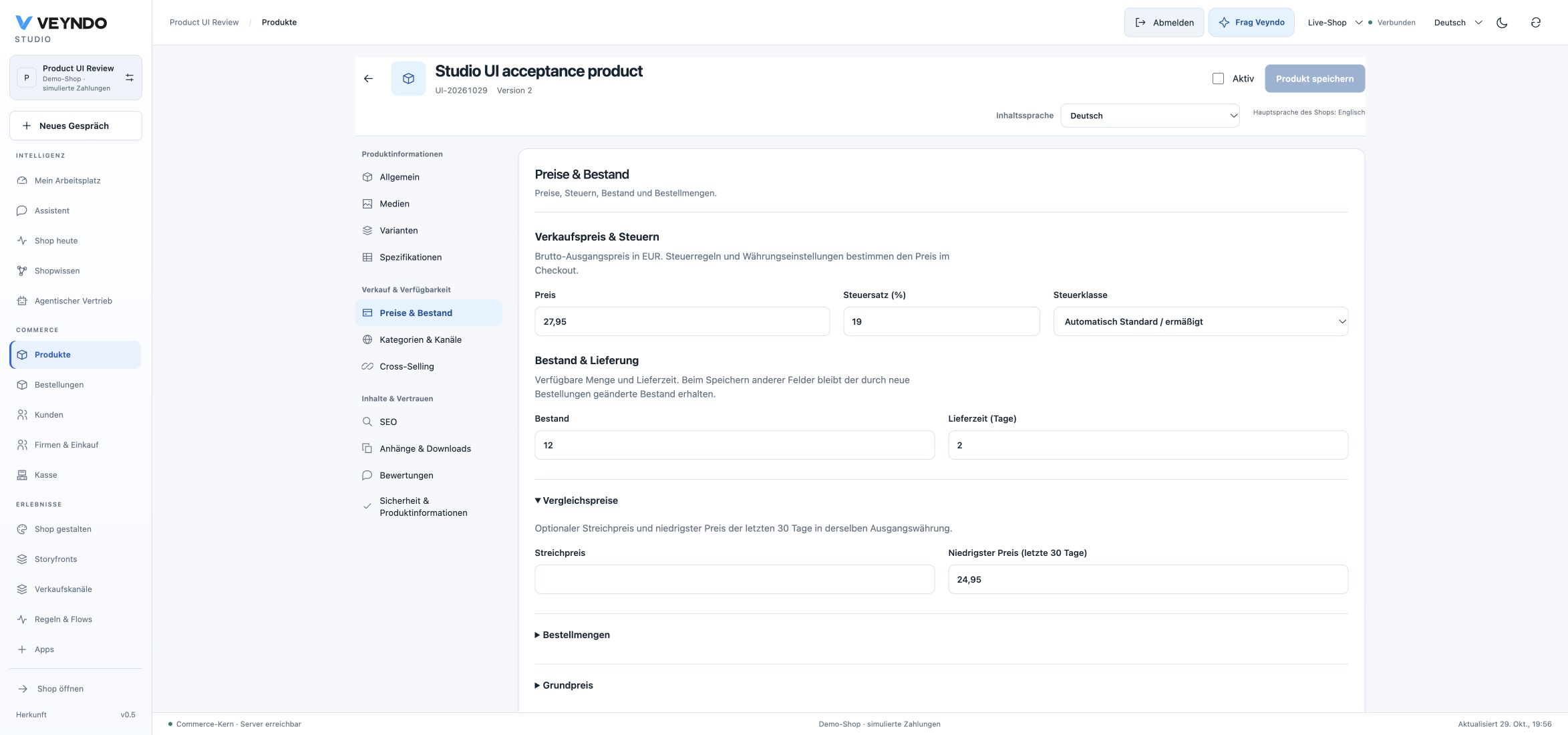
- Prices & stock: selling price, tax rate and the actual tax class appear together, followed by stock and delivery time. Comparison prices, order quantities, reference units, currency-specific prices and rule-bound discounts have separate expandable sections. Configured sections open immediately. The lowest 30-day price accepts cent steps; native stock-safe saving and tax/currency calculation remain unchanged.
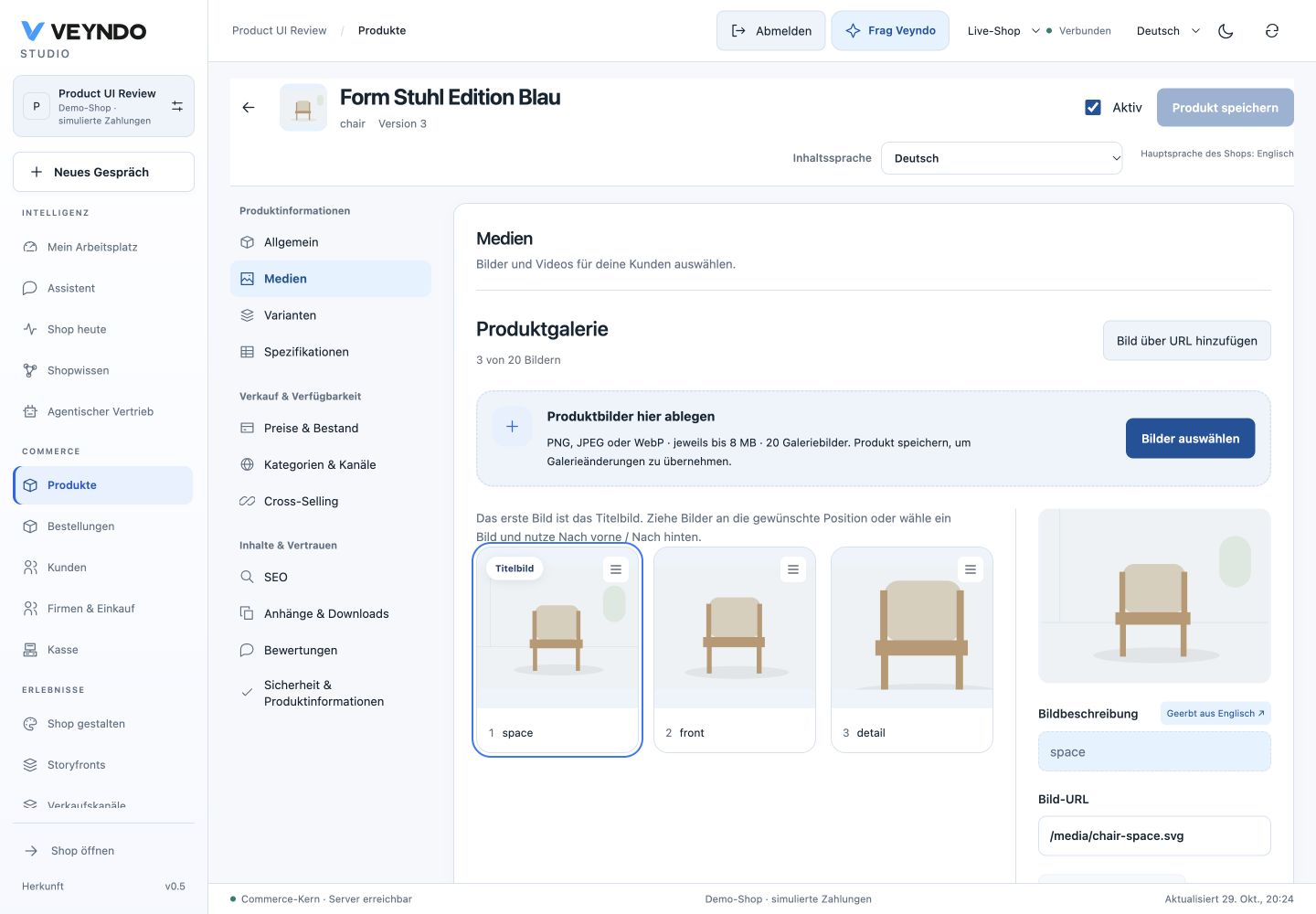
- Media: drag images onto another gallery position to reorder, or select an image and use Move earlier / Move later. The first image is the cover; visible positions and a drop target explain the result. Save the product to retain the order. The upload area becomes compact once images exist. Supports external HTTPS image URLs and actual PNG/JPEG/WebP uploads for saved products. Uploaded bytes start private and the gallery action explicitly publishes the selected digest.
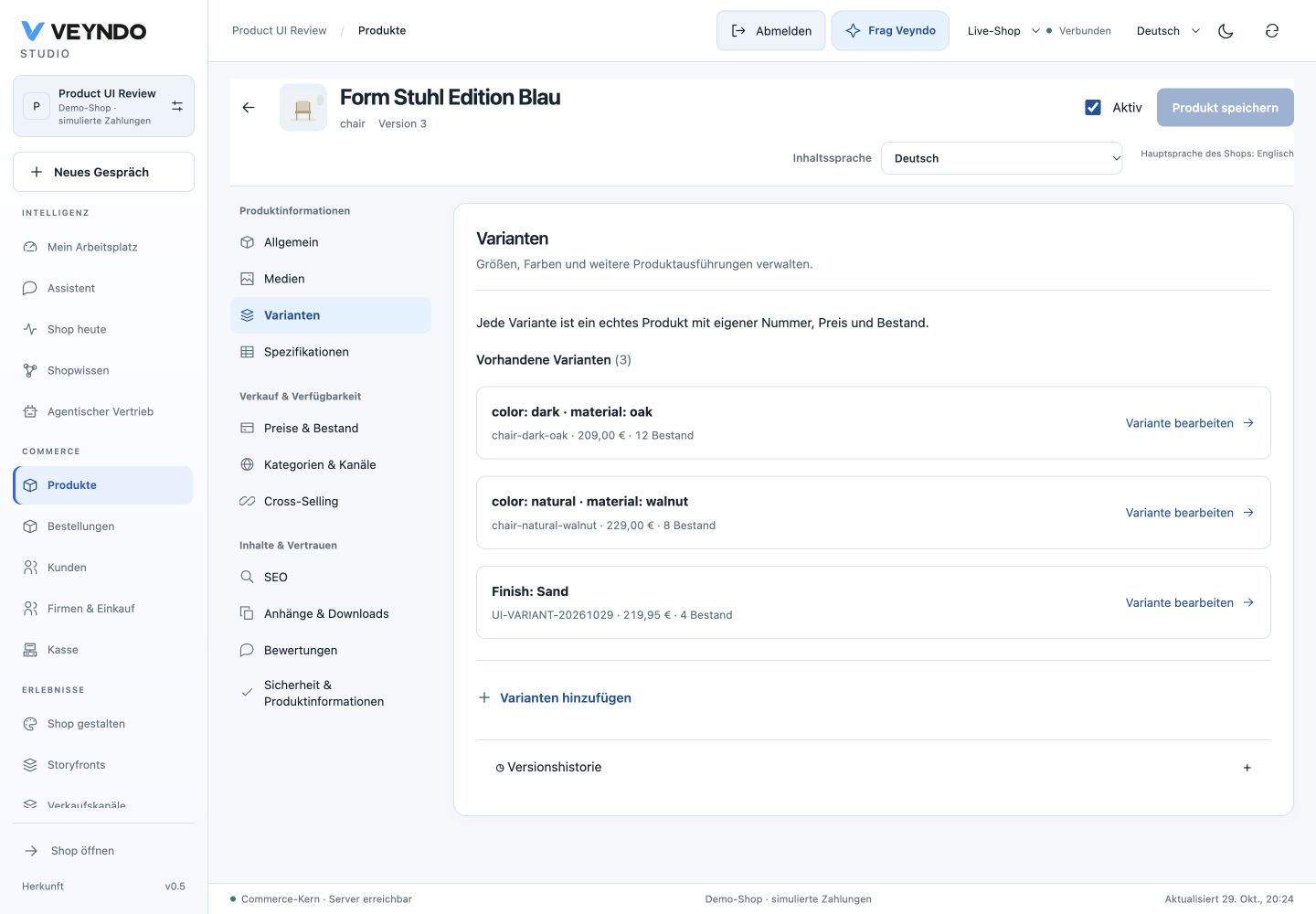
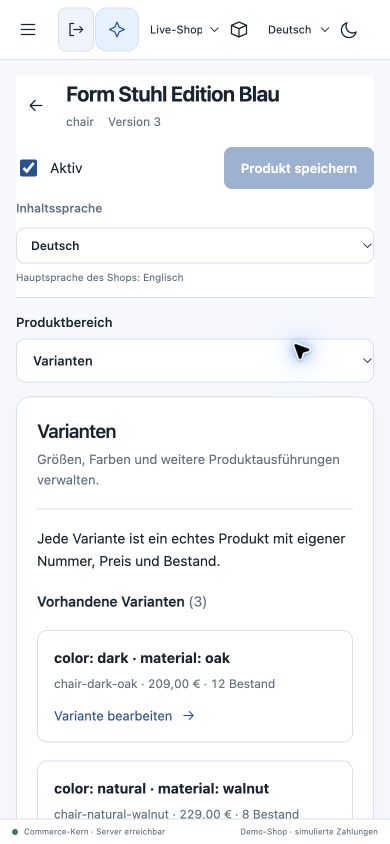
- Variants: see existing child SKUs first, with separate option, number, price and stock information. Open Add variants for the optional creation form; create a child with its own number, option values, prices and stock; open its independent editor. A reviewable generator creates up to 50 Cartesian combinations per batch; existing combinations are skipped, child option edits are supported, and the server rejects concurrent duplicates.
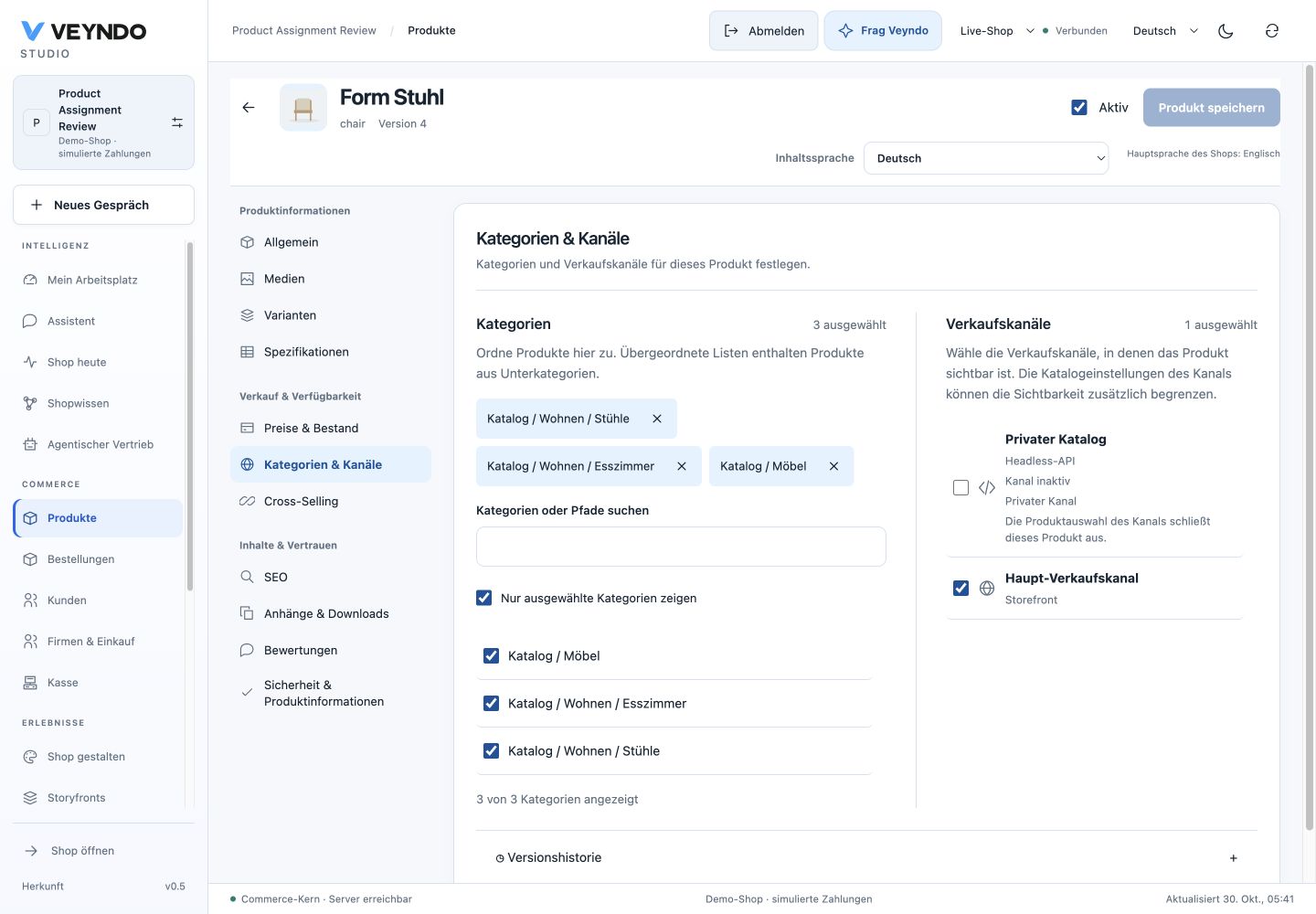
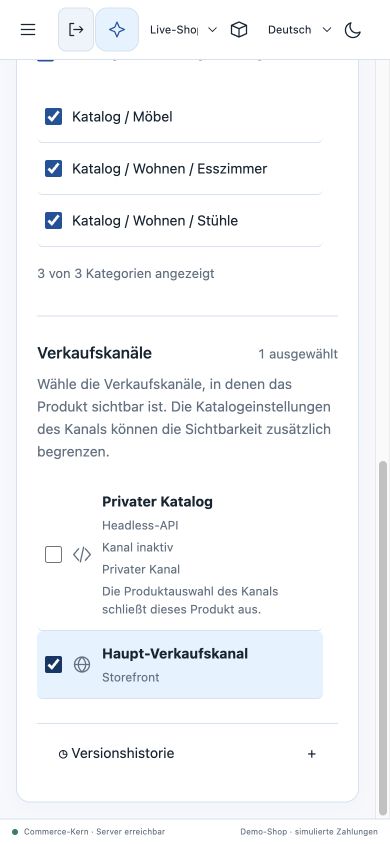
- Categories & channels: search full translated category paths, retain and remove selections above the results, or show selected categories only. Choices render in batches of 50 over the existing bounded category tree. Read-only users can search while assignment controls remain disabled. Channel names use the selected enabled content locale and shop main-language fallback. Each channel shows its kind, inactive/private state and any explicit catalogue exclusion. An empty product channel selection hides the product from every channel. Existing channel-level explicit product lists can restrict this further; an empty channel-level list means the whole catalog. The persisted default storefront also respects activation and per-product channel visibility.
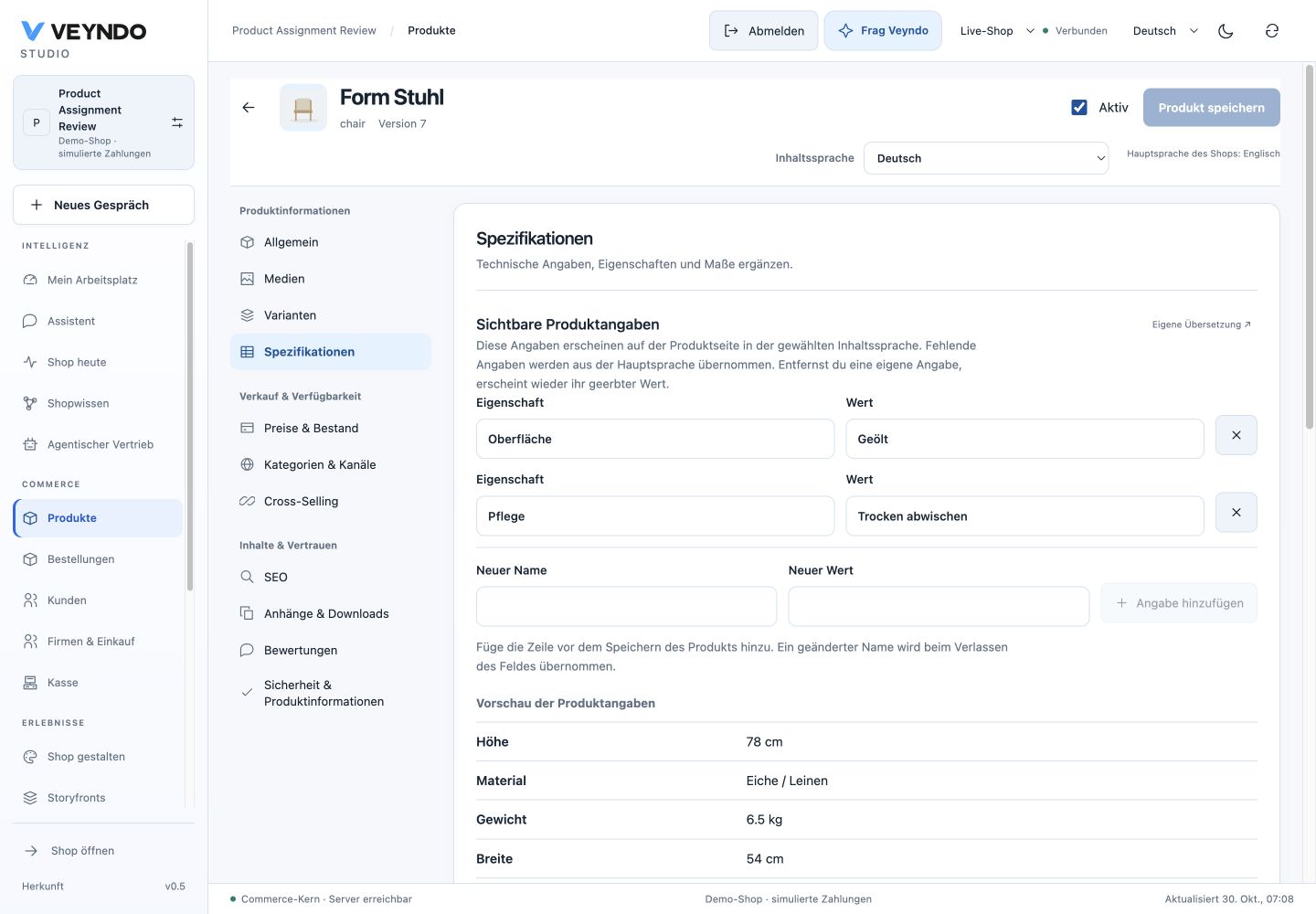
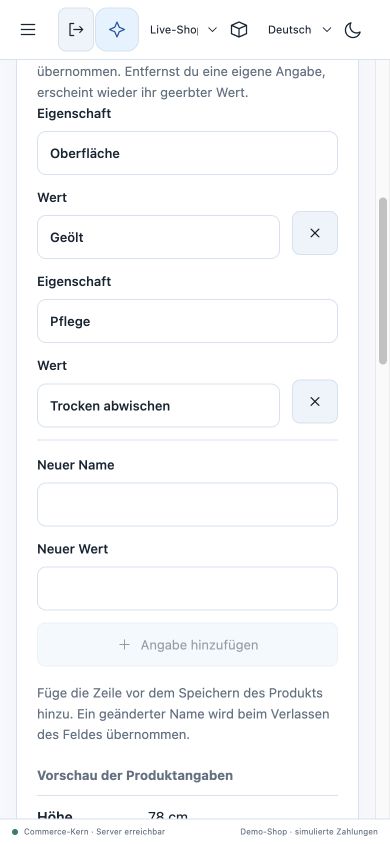
- Specifications: separate visible details in the selected content language, shared technical properties and structured weight/dimensions with explicit kg/mm units. The preview combines shared properties and effective translated details like the product page. Missing detail keys inherit individually from the main language; removing an own key restores that fallback. Add each new name/value row explicitly; renaming commits on blur and refuses a duplicate without overwriting either value. Native limits remain 40 entries, 100 UTF-8 bytes per key and 1,000 per value.
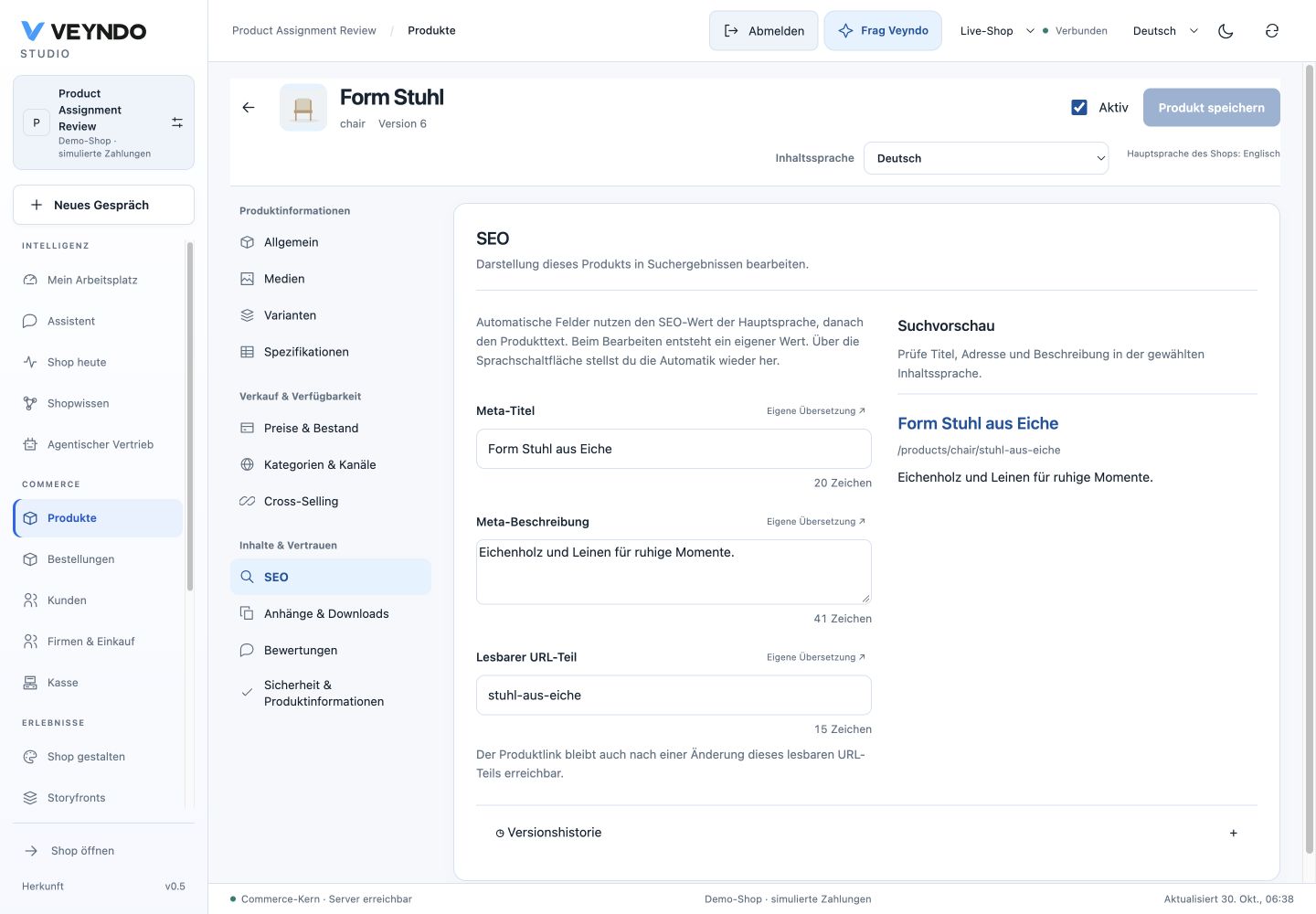
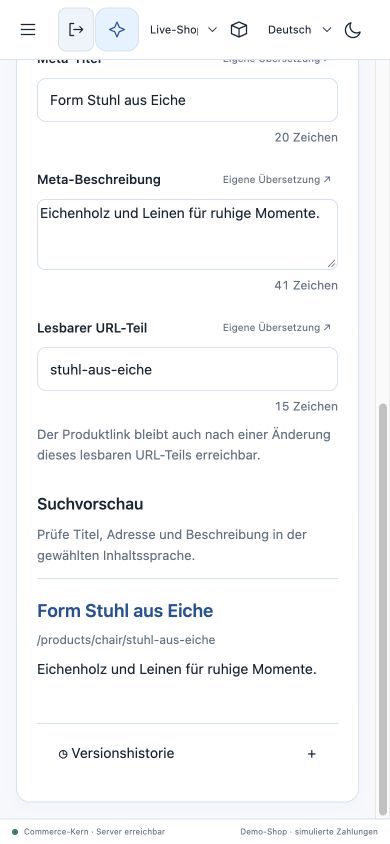
- SEO: edit one enabled content language at a time, with automatic product-text defaults, explicit own/blank values and per-field reset to inheritance. A multiline description and search preview share regional/main-language resolution with the storefront. The preview shows the actual encoded product path; a new product must first be saved. Invalid URL separators and native UTF-8 size limits are explained before save.
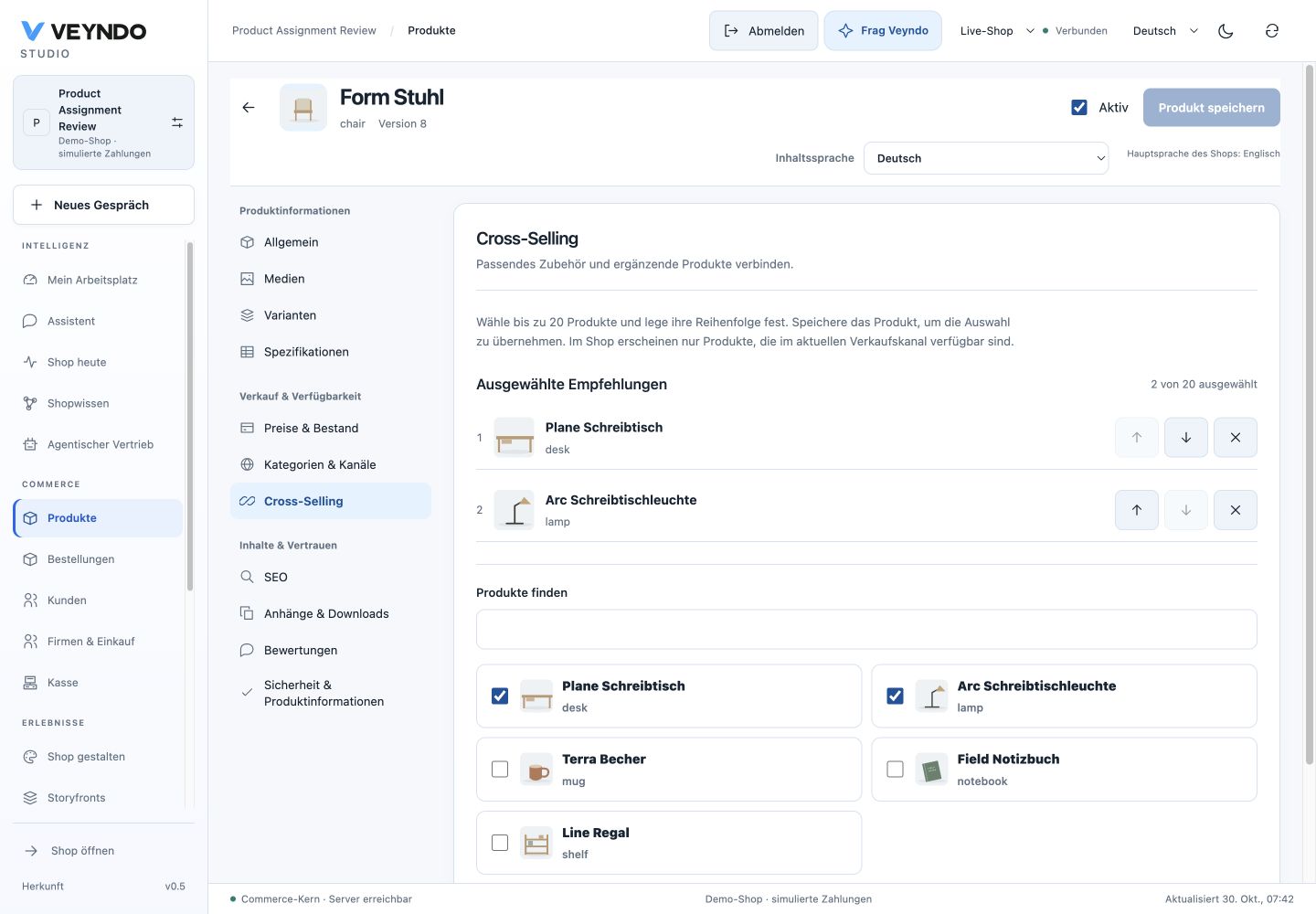
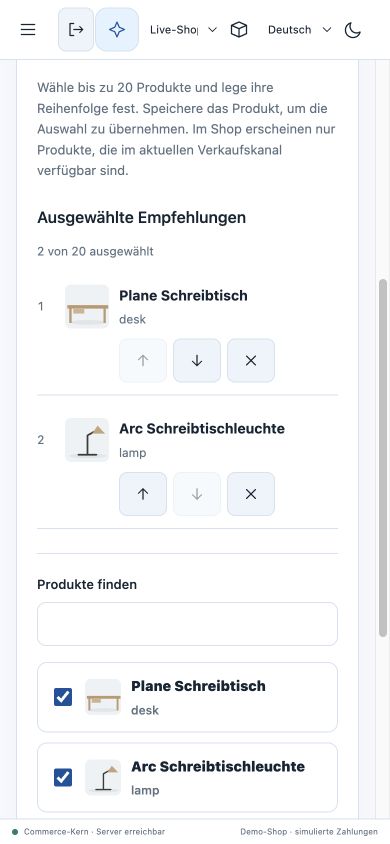
- Cross-selling: search by product name or number in the selected content language. Keep selected names/images above the results, reorder with arrows and remove explicitly. Native cursor pagination loads more matches; failures offer retry. Select up to 20 products and save through the ordinary aggregate. Read-only users can search without changing assignments. On the product page, manual recommendations use the existing product tile, native contextual prices and current cart/channel/company admission. Removed or unavailable products are omitted; no technical ID links are rendered.
- Attachments & downloads / Reviews: existing product-scoped asset publication, digital entitlement and review moderation capabilities inside the same workspace.
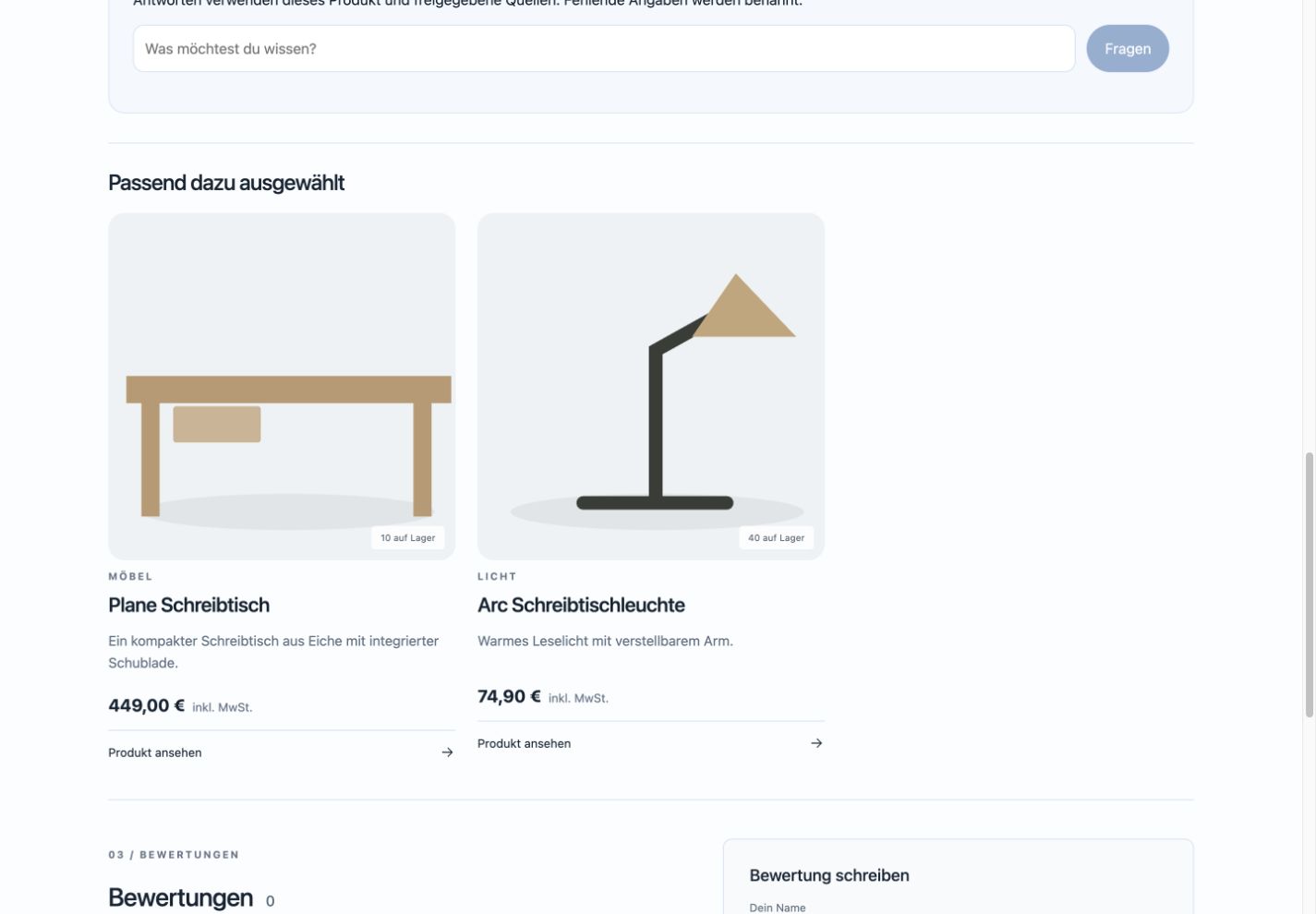
Mobile product editor. Grouped price and availability editor · Mobile prices. Ordered product gallery · Variant overview · Mobile variants. Searchable categories and channels · Mobile assignments. SEO fields and search preview · Mobile SEO editing. Product details and properties · Mobile product details. Ordered recommendation selection · Mobile recommendations · Actual storefront cards. These captures show the local isolated test shop, not a hosted deployment. Product workspace verification · Category/channel browser and Store API checks · SEO save and storefront metadata checks · Specification editing and storefront checks · Recommendation native journey.
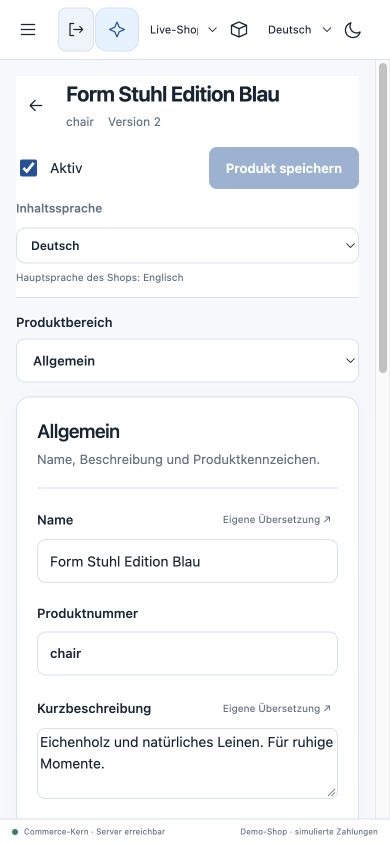
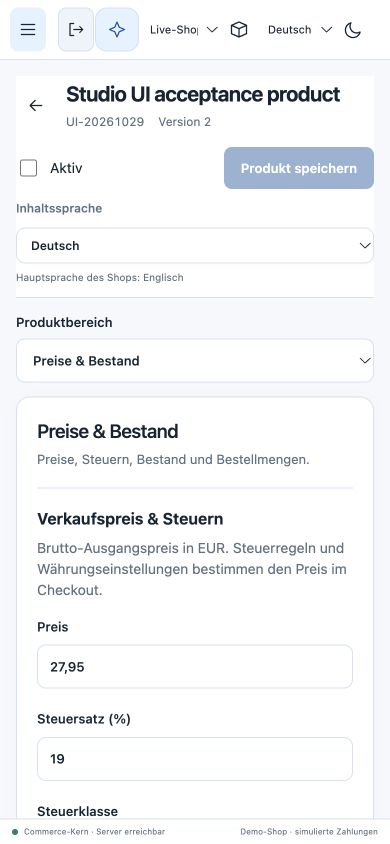
The General section keeps the product name, number and short description together. The full description follows with direct Visual editor / Markdown / Preview controls. Preview uses the shared shop content renderer and does not change the draft. Unapplied Markdown blocks preview until applied or discarded. Manufacturer, GTIN and optional shipping flags are grouped in an expandable section; configured values open it automatically.
Rich descriptions resolve their own regional language keys independently of the plain product text. Creating an own translation retains the currently displayed legacy text or rich document. An own short description used as a starting point is labelled explicitly. Missing rich content inherits; an explicit empty rich array stays empty in both the editor and product page, while an absent rich value falls back to the ordinary description. Viewing or switching preview creates no saved translation. Content editing checks.
Content editing on desktop · Mobile content editing.
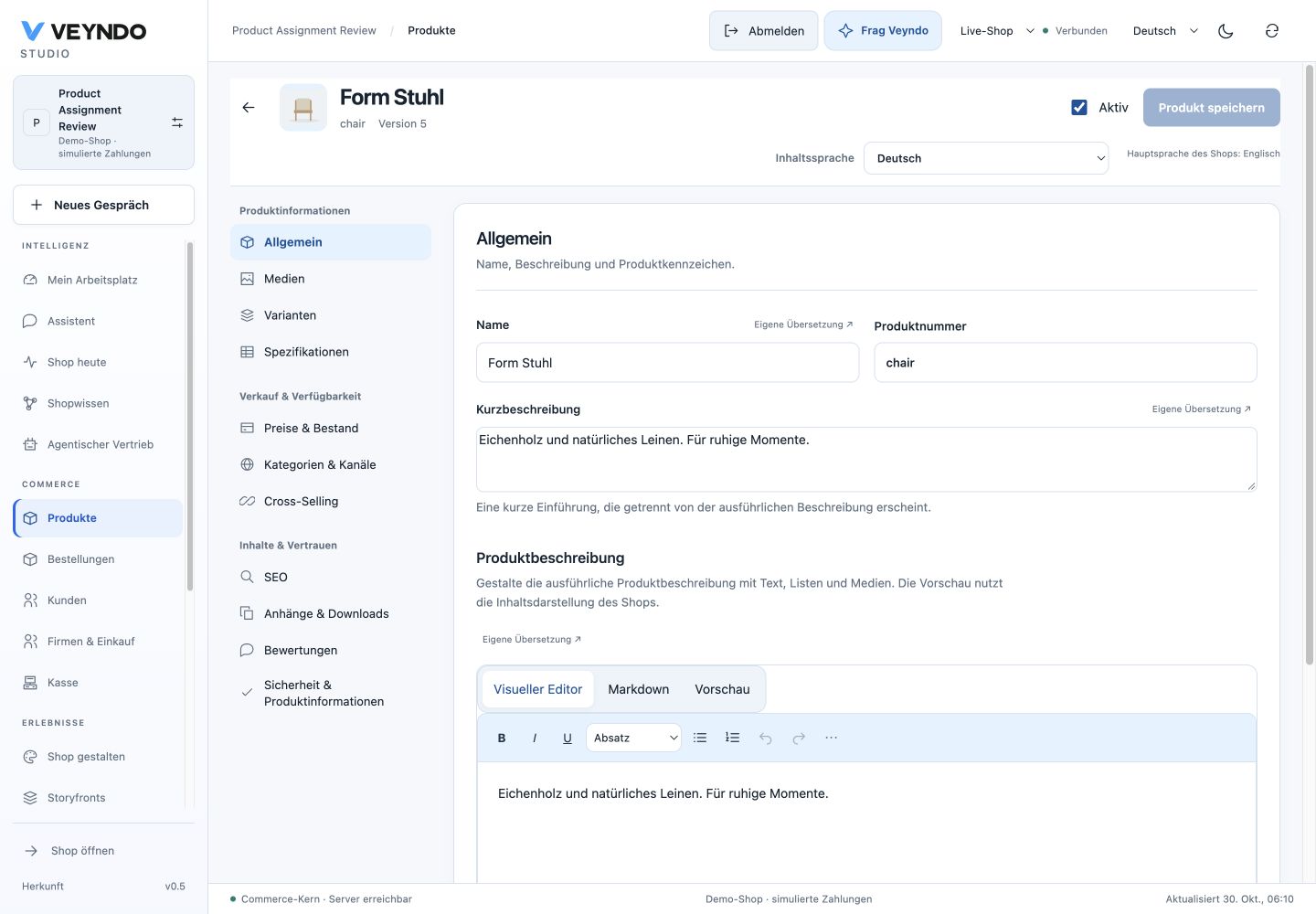
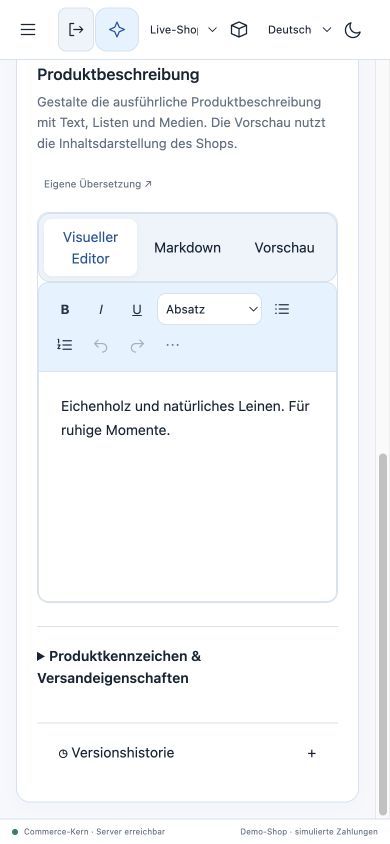
The TipTap editor writes a bounded JSON document, not arbitrary HTML. Supported formatting includes bold, italic, underline, headings, lists, links, images, video and undo/redo. Server admission validates document node types, marks, attributes, URL schemes, depth and size; the public React renderer uses explicit safe elements. Unsupported pasted HTML cannot become executable product content.
One product save atomically writes translations, priced fields, metadata, categories, channel overrides, knowledge-graph synchronization and a product.created or product.updated outbox event. Revision conflicts retain the browser draft and require a deliberate reload/review. Creation and updates share this operation with MCP. Durable flows can subscribe to the committed product events.
Editing while orders arrive
The editor returns two clocks. revision is the existing aggregate revision,
including purchases and stock releases. contentRevision changes with product
content, prices, translations and configuration, but stays stable for a stock-only
purchase or cancellation. They are independent numbers, not interchangeable IDs.
The Studio omits commerce.stock when the person has not changed its input. Such
an update may provide the previously read contentRevision; a purchase between
opening and saving then does not block a description or image change. The native
operation locks the current row, verifies the content clock and preserves its
current quantity. The response supplies current revision, contentRevision and
stock, so the editor also refreshes the quantity it displays.
An explicit commerce.stock requires the current aggregate revision, even if a
caller also sends contentRevision. A stale absolute quantity cannot restore
units already purchased. Older clients that omit the content clock retain the
original aggregate CAS. Both HTTP and merchant.product.save use this same owner;
neither the agent nor an app bypasses the decision. A conflict includes the actual
currentRevision and /revision or /contentRevision pointer identifying its clock.
Migration 098 adds the clock without resetting stock or aggregate revisions. A database trigger also observes writes from existing replicas during a rolling release. Versioned translation/FX/proposal owners continue to invalidate content; their own existing conservative aggregate revision checks are preserved. History restores omit quantities. Sandbox diffs/publication exclude both revision clocks and stock; a released content unit advances the live clock without importing a sandbox quantity. This is not a new inventory ledger or a stock-only edit API.
Categories: source-faithful bounded port
Category listings can also select products through a saved confirmed-fact query. The editor has one content-language field for a literal fact phrase, a supported node type and a minimum recorded confidence. This augments manual assignments; only confirmed current public document-backed claims qualify. Requested-language phrases use that claim language; absent phrases inherit the shop main language, while explicit empty phrases add no matches. Source archive/privacy changes remove graph membership immediately. Active products, channel restrictions and cursor pagination remain native. Definitions use the same category revision/history and selective staging release. This is a VEYNDO extension, not original Shopware dynamic-product-group equivalence. See connected cognition.
Reference: Shopware 6.7.14.2, commit 29535190246fcaf0b091d7bdf02dd16358c943c4, and the official category guide / product guide.
| Shopware behavior | Native implementation | Exact scope |
|---|---|---|
| Parent/child category tree, position, translations | categories/admin.rs; migration 026; CategoriesWorkspace.tsx |
Four languages, revision checks, same-tenant parent FK, ancestor/cycle validation and shop-local edit lock |
| Page / folder / external-link category types | Category data and public navigation renderer | page, folder, HTTPS link; legacy structuring remains readable |
| Multiple product-category associations | product_categories; categories::assignments |
Tenant-bound many-to-many links, at most 100 assignments per product |
| Parent listing includes descendant assignments | categories/listing.sql |
Active subtree, enabled by default; displayNestedProducts=false limits the listing to direct assignments |
| Active and visible are different | categories/navigation.rs |
Inactive branches are inaccessible; invisible branches disappear from navigation but active category listings remain directly addressable |
| Sales-channel navigation root | marketing/channels.rs, categories/navigation.rs, channel settings form |
Independent navigationCategoryId per storefront/headless channel; default root is catalog-root |
| Storefront navigation and category listing | /store-api/navigation, /store-api/product with categoryId; CatalogNavigation.tsx |
Localized tree and real product filtering before pagination; no hard-coded category names |
| Catalog content staging | staging/categories.rs, clone.rs, release.rs |
Category and product units can publish selectively in one transaction; dependency order, staged digest and live baseline checks; live stock stays live-owned |
This is a behavioral port to native APIs and storage, not original DAL/UUID/wire-schema compatibility. Missing upstream features include product streams/dynamic product groups, complete CMS category layouts, breadcrumbs/deep category routes, service/footer navigation roots, arbitrary language/currency context, manufacturer/property-group entities, full inheritance masks, bulk import/export beyond the bounded creation CSV and deletion workflows. Automatic authenticated image previews inside private staging editors are not yet implemented; private source URLs do not become publicly accessible. Category navigation is deliberately bounded to 2,000 nodes per channel; large product catalogs remain cursor-paginated and are not loaded into the browser.
APIs and MCP
| Operation | HTTP | MCP tool |
|---|---|---|
| Search/filter products | GET /api/merchant/products?search=...&active=true&categoryId=...&lowStock=true&limit=25&after=... |
merchant.products |
| Read one editor aggregate | GET /api/merchant/products/{id} |
merchant.product.content |
| Create | POST /api/merchant/products |
merchant.product.create (product object) |
| Update | PUT /api/merchant/products/{id} |
merchant.product.save (id, product) |
| List category tree | GET /api/merchant/categories |
merchant.categories |
| Create/update category | POST /api/merchant/categories; PUT /api/merchant/categories/{id} |
merchant.category.create; merchant.category.save |
| Public tree/listing | POST /store-api/navigation; POST /store-api/product with { "categoryId": "..." } |
Public Store API |
Explicit merchandising selections use the same POST /store-api/product or MCP
catalog.search with {"ids":["product-id"],"limit":100}. At most 500 nonempty
IDs are accepted, with at most 100 results per cursor page. The server intersects
these IDs with the current channel/B2B catalogue and retains active/visibility,
language, customer, currency and pricing rules. IDs never select another tenant or
expand a channel's assortment. The visual editor resolves selections in bounded
batches so a chosen product need not be on the initial catalogue page.
Reads require catalog.read; writes require catalog.write. Native product queries accept limits 1–100 (Studio uses 25), filter before limiting and return nextCursor; there is no expensive whole-catalog total. Category search/stock/status filters are server-side. Product numbers have a tenant-specific unique index; translated name/product-number search uses trigram indexes. Asset ?shop= scope allows ordinary image requests to identify their tenant without authentication headers; private environments still require authorized access. The header tenant wins if explicitly supplied.
Verification and boundaries
python3 scripts/catalog_management.py creates isolated synthetic tenants and runs actual HTTP/PostgreSQL/MCP/worker tests: creation, translations, formatting, duplicate numbers, cursor pages, active/channel admission, parent-category listings, nested listing control, hidden ancestry, cycles, tenant isolation, unsafe document rejection, uploaded byte delivery, event consumption and selective release of new products/categories. Existing commerce, account/marketing, merchant operations, protocol and scalability suites cover shared consumers. frontend/tests/unit/catalog-management.test.tsx exercises the actual list/editor, save conflicts and safe rich renderer; the browser check creates and reloads a real synthetic product.
These tests are regressions, not 100% coverage or complete Shopware equivalence. New SQL, asynchronous adapters and editor code are recorded as unproved in the formal manifest; the existing extracted Lean policy contracts remain unchanged.
production_foundations additionally exercises purchase → content-only save →
stale content/stock rejection → cancellation → MCP content save across two real
restricted-runtime replicas. The UI regression verifies omitted untouched stock,
refreshed quantities/clocks and an explicit subsequent stock edit. These checks
do not measure large-catalogue throughput or establish fleet scaling limits.
New product pages without uploaded media render an explicit translated empty-image state, rather than a broken image or a fictitious product photo. Public detail and purchase views display the merchant's product number; the internal product ID continues to identify carts, associations and API routes.
Channel settings and media workspaces (2026-10-05)
See the settings/media guide for the current single-language editor, field-level checkout overrides, dependency-safe method removal, gallery and optional private image jobs. These are native prototype extensions; they do not establish additional full Shopware API/DAL parity, current tax law, paid-provider quality or whole-system formal certification.
For Markdown editing, guided variants, integration keys and channel onboarding, see the Studio integration guide.
Category-only product edits
The native product save endpoint and merchant.product.save accept an explicit
assignment-only payload: {"revision":2,"categoryIds":["collection_id"]}.
Read merchant.product.content first and retain its original revision. The list
replaces category assignments; include existing IDs when adding a category. An
optional original contentRevision retains content-only concurrency semantics.
This shape cannot contain full-editor fields. The shared native editor expands it from the current authorized product, preserves translations, metadata, identity and channel selection, omits commerce/stock writes, and still checks the submitted clock under the normal product lock. Unknown or foreign categories fail the native assignment check transactionally. Full product editing and creation retain their existing metadata contract. Agent plans validate the product shape before review and receive the same native guidance; approval does not waive current rights or CAS.
Preparing a catalogue together
Products → Prepare catalogue keeps native saved products, explicit translated
names/descriptions, the latest durable image job and current-environment visibility
in one server-paged grid. The optional preparation=true projection on
merchant.products / GET /api/merchant/products fetches only the authorized page;
it does not scan or download all products, create a second import ledger or fetch
image binaries. HTTP and MCP use the same contract and catalog.read admission.
Open a text step to enter the existing product editor, or an image step to open its media workspace. Failed image jobs remain visible after reopening/reloading; review the provider configuration and explicitly start a new draft there. Successful or uncertain provider requests are never repeated just by opening this overview. A UI-language change during job creation re-reads the committed native job and continues progress display without a second provider POST. Scoped late responses cannot append media into a different product or sandbox.
The language indicators count explicit non-empty name / description fields in the shop’s enabled languages. Missing translations may still inherit the configured main language. These counts are editorial guidance, not an automated content-quality score. Active in this environment is native product visibility; it does not claim a sandbox change has reached the live shop. Use the linked existing translation jobs and selected-publication workspace for those steps. Operational image/translation jobs and private test orders are not configuration release units.