
English source · 4 min
Your shop, in numbers
In Shop today, build a reporting overview for the questions you ask most often. Use the same reports in each area of My workspace, alongside your pinned views, work cards and agent suggestions.
Build your overview
- Open Shop today and choose a period. Today, week, month, year, all time and custom dates use the selected timezone. The end date is inclusive.
- Choose daily, weekly, monthly or yearly grouping. Automatic chooses a readable grouping. Compare with the immediately preceding period of equal length.
- Select a currency, channel type or individual sales channel. Online shops, headless channels, marketplaces and the register share the same native orders.
- Click Add report and choose the reports you need.
- Click Arrange reports. Drag cards to their new position, or use their arrow controls. Choose line, bars or table and half or full width. Remove cards here.
- Click Save overview. These choices belong to your personal account in this shop. Other team members retain their own overview.
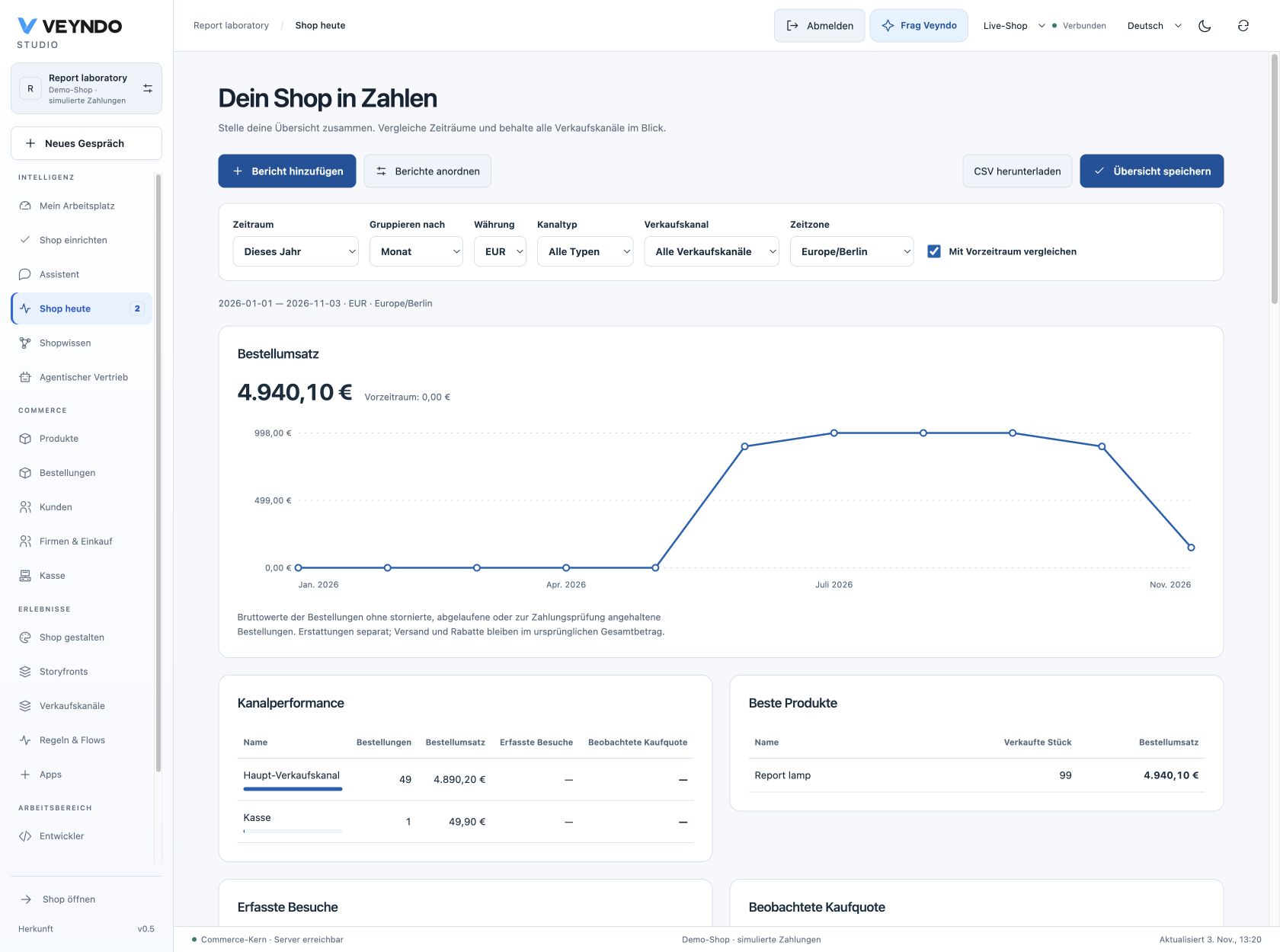
For a separate reporting workspace, open My workspace, select or create an area and use Add report there. Save with the existing workspace save action. Each area can have its own filters and arrangement. Existing workspace revision history and conflict handling apply to both kinds of overview.
Available reports
| Report | Meaning |
|---|---|
| Ordered revenue | Original gross order totals, including original shipping and discounts |
| Orders | Number of eligible native orders |
| Average order | Ordered revenue divided by eligible orders |
| Refunds | Current recorded refunds on orders placed in the selected period |
| Best products | Top 20 products by original line gross value, with quantities |
| Channel performance | Top 100 channels by ordered revenue, order counts, observed visits and conversion where permitted |
| Observed visits | Distinct native cart contexts with current analytics consent |
| Observed conversion | Observed contexts matched to an eligible order in the selected currency, divided by observed contexts |
| Purchase journey | Observed contexts at visit, product view, cart addition, checkout and converted order |
The journey counts contexts that reached each step independently. It is not a strict sequence analysis. Repeated events from one context do not create new visitors. Missing visitor history appears as unavailable, rather than invented zeroes. Changing or withdrawing consent changes which observations remain eligible.
Read the numbers correctly
Order value and settlement are different measures. Cancelled, expired, payment review and failed payment orders are excluded. Other recorded orders can include pending payment. Simulated order counts are explicitly identified. Refunds are a current total on the selected order cohort, not a history of refund transactions by refund date. Product rankings use line value, so their sum need not equal order totals with shipping and cart discounts.
Currencies stay separate. The report sums exact decimal snapshots from native minor units, with legacy numeric snapshots as fallback. Select EUR, JPY or another recorded currency; amounts are never silently converted or added across currencies. Display uses the recorded currency scale. CSV retains decimal strings.
Traffic follows the existing privacy policy. Native analytics uses its existing channel policy, consent receipt and retention limit of 1 to 30 days. These reports add no tracking store or retention extension. Annual sales can be reported from retained orders; annual visitor history cannot be reconstructed from expired events. POS orders count as sales and do not imply browser visits. Channel performance uses the channel associated with the original cart or order.
Connected implementation
POST /api/merchant/reports and the registered agent/MCP operation
merchant.reports.read call the same Rust reporting owner. Period, grouping,
timezone, currency, channel and comparison are typed inputs. The response contains
bounded aggregate totals, trend buckets, product/channel rankings and optional
consent eligible visitor aggregates. No customer records are returned.
overview.read or orders.read admits the aggregate report. Product rankings
additionally require catalog.read; visitor projections require knowledge.read.
Channel names require channels.read; otherwise the response contains channel IDs.
Current rights are checked on every request. The interface discards cached reports
when shop, filters or rights change. Export uses that same authorized snapshot,
with spreadsheet formula escaping for merchant supplied labels.
Private stages report their own orders and are visibly labelled. Layouts remain personal workspace preferences in the live shop, not publishable shop configuration. They contain filters and card choices, never report rows or authority. Up to 12 cards and 400 time buckets keep the interface bounded. Large date ranges need coarser grouping. Queries use the tenant/time order index and PostgreSQL numeric aggregation. This is an operational report, not a new warehouse or measured large merchant performance guarantee.
Acceptance
The native merchant_reports suite creates isolated local shops, performs a real
native simulated checkout and cashier sale, and verifies exact totals, consent
withdrawal, per-channel conversion, HTTP/MCP permissions, tenant isolation,
workspace persistence and revision conflicts. Synthetic historical fixtures cover
150 days, weekly/monthly grouping, cancellations, zero-decimal money and marketplace/
headless attribution. These attribution fixtures do not contact marketplace providers.
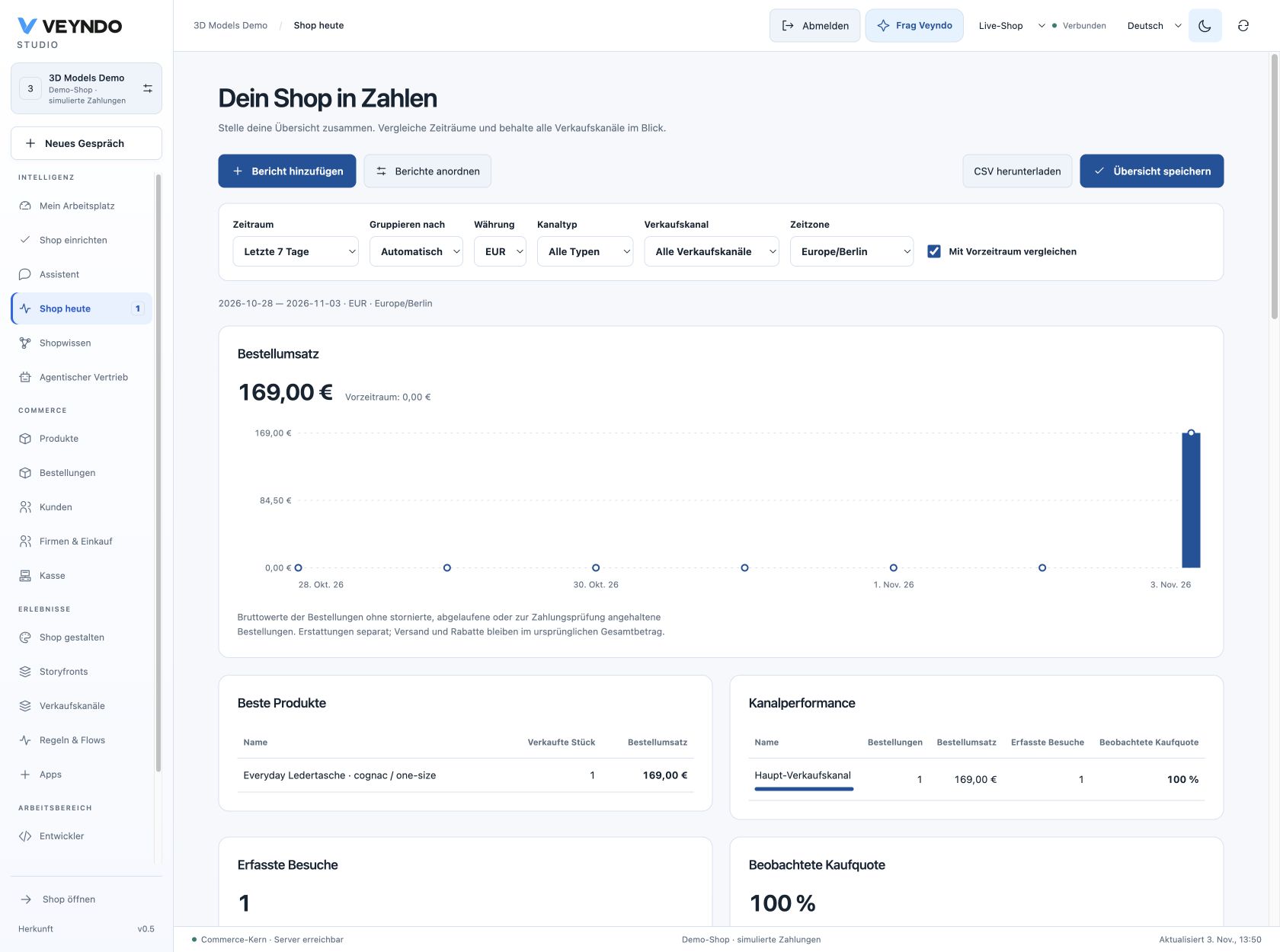
Targeted interface checks cover composing and reordering cards, changed filters, late responses after shop/permission changes and CSV escaping. The public native simulated EUR 169.00 purchase, matching reports, saved layouts, actual CSV download and private stage separation passed on 3 November. Observed public journey and current status retain exact delivery scope. Screenshots show labelled synthetic demonstration data.