
English source · 10 min
App Studio: one app, connected experiences
App Studio combines visual editing, app data, installed configuration, coding-agent proposals and the existing release workflow. These are different views of the same Manifest and authorized Rust runtime. This guide describes the implementation added on 15 October 2026; it does not claim every external provider has been certified.
Work from the shared canvas
The editor now opens the app’s placements together on a zoomable overview. Open a placement, reveal Elements/Properties as needed and use the right Agent dock with selected-element context, screenshot/URL references and an explicit before/after proposal preview. Buttons and inputs open their existing graphical behavior editor directly. The compact section selector connects data, settings, connections and versions without replacing the current definition. Illustrated Canvas workflow and precise scope.
Start with where the app helps
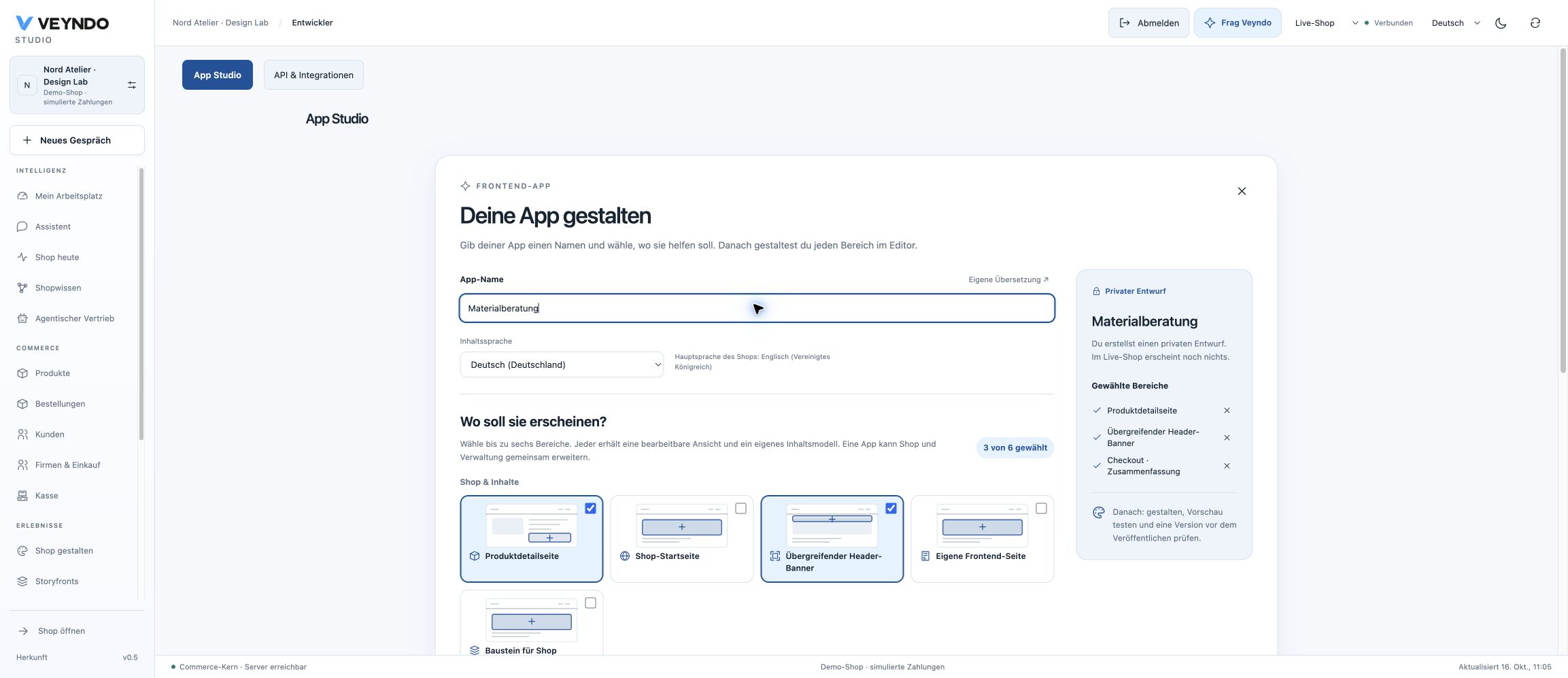
Choose New app → Connected experience to extend several places at once. Select up to six areas, for example a product detail panel, a global header banner and a checkout summary. Each receives an editable view and its own content model, inside one app package. A header does not accidentally inherit a required product context.
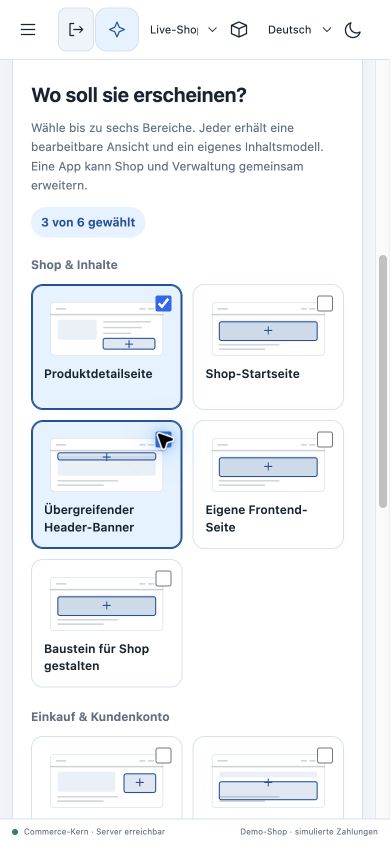
The setup now puts the localized App name first, followed by one compact content-language selector. Illustrated placement cards are grouped into Shop & content, Purchase & account, Administration, Point of sale and Company purchasing. The selected-area summary updates immediately and lets you remove individual areas. At six selected areas, additional cards are disabled until one is removed; with none selected, draft creation stays disabled and explains the next step.
Technical options & agent access contains the generated API identifier and explicit MCP/public-read switches. An invalid identifier opens this section for correction. These presentation changes do not alter permissions, data admission or publication: creating a draft still opens the ordinary editable Manifest; nothing is installed into the live shop by selecting a placement.
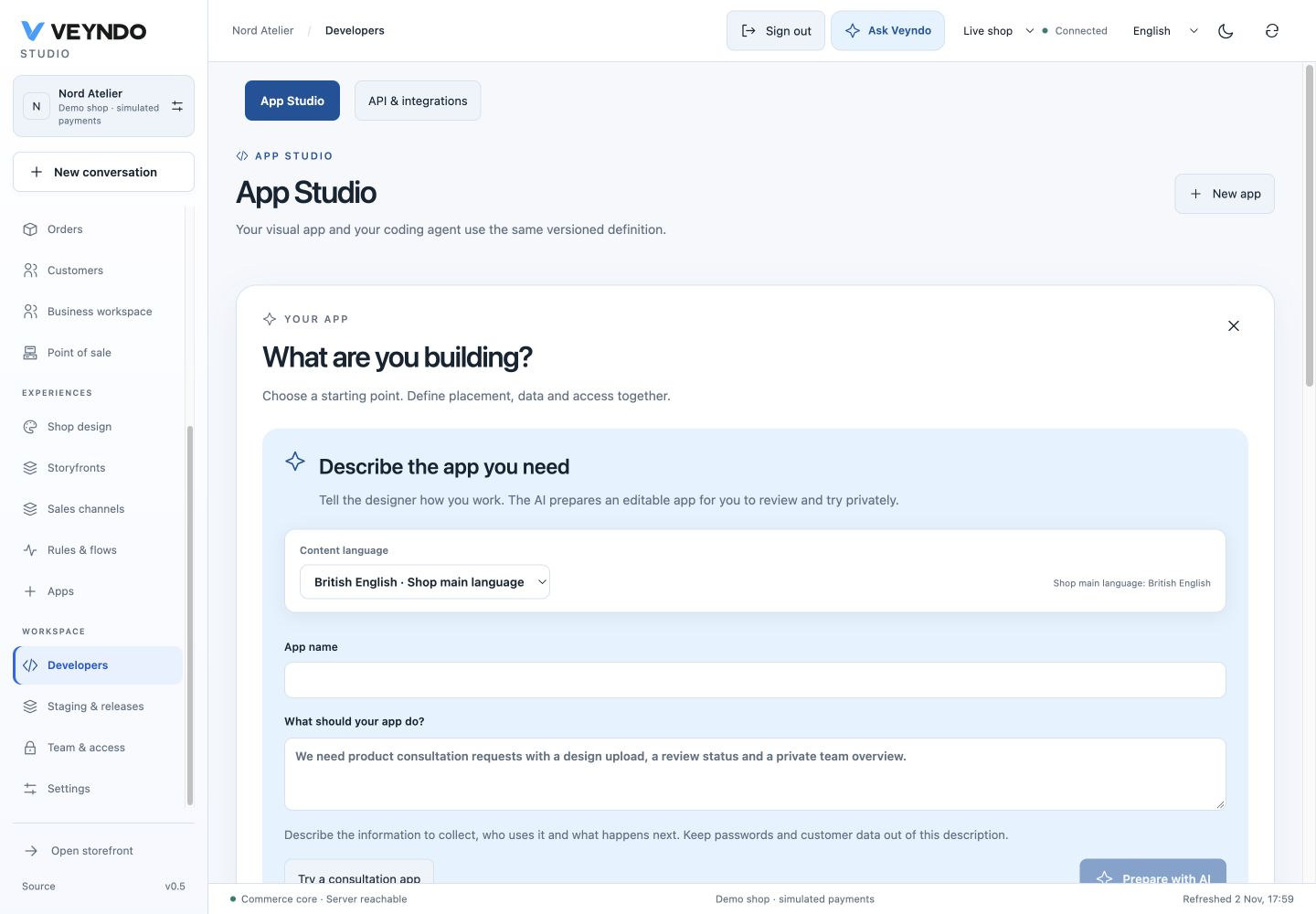
Name and language · Mobile selection · Dark appearance
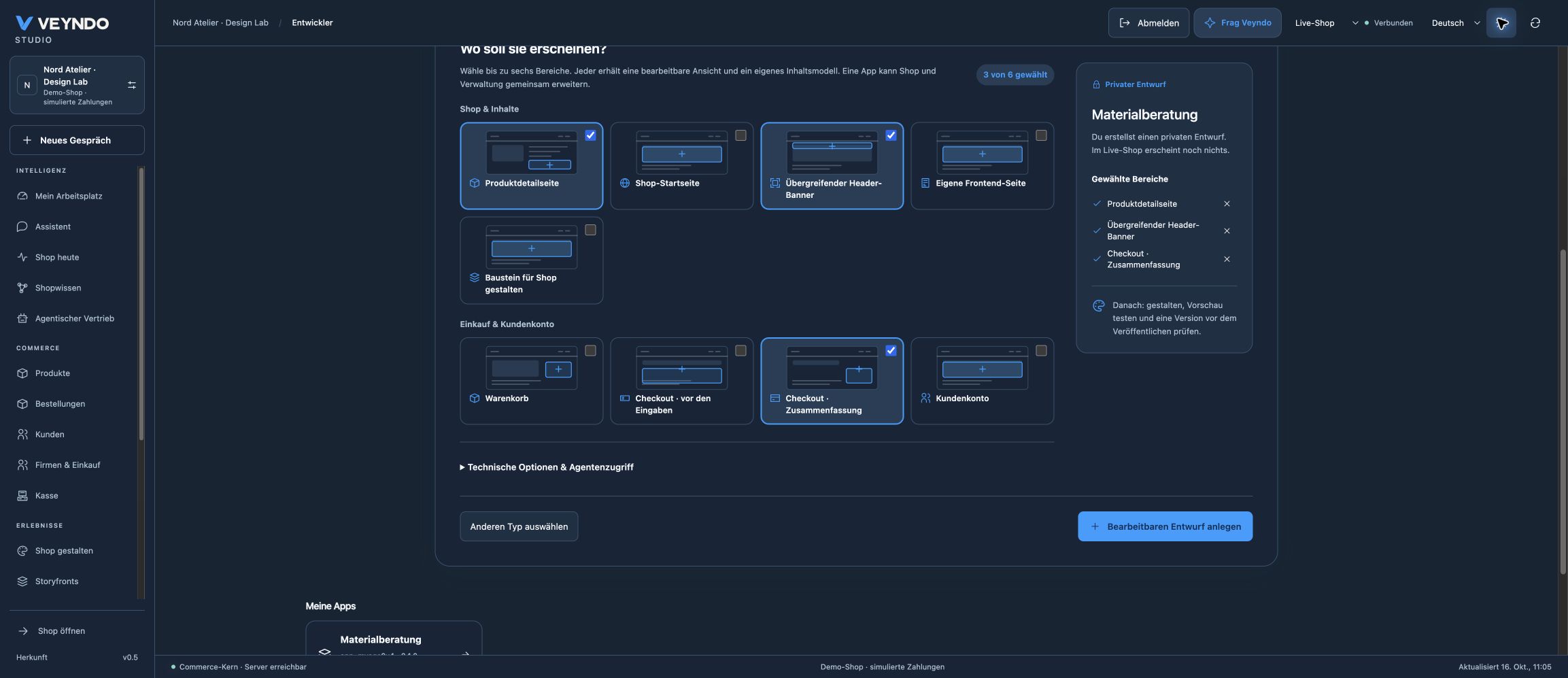
The catalogue includes product detail, shop homepage, global header, cart, checkout before details, checkout summary, customer account and existing private admin/POS/company placements. A standalone page and a Shop designer block retain their existing explicit mounting paths. Choosing a placement does not grant rights or make a draft public. Public views remain read-only unless a separately reviewed contract permits a specific action.
Image captions
Select an image in Design to edit its caption in the current content language. The native image control renders that text below its asset. The AI button prepares a reviewed suggestion from the current app/image description; no record image is selected in the design inspector. Captions use the existing localized block text and the normal version/release path. Shared caption workflow.
Work on the app, with help when needed
The canvas stays central. The toolbox uses compact illustrated rows: drag a block onto the normal stack/two-column canvas or the existing 12-column designer. Click is the keyboard/touch alternative. Select a block to edit its actual properties. Drag existing blocks or use the accessible ordering buttons.
The toolbox starts at 180 px and can be resized between 148 and 280 px; properties can be resized between 280 and 500 px. Drag the separators or focus one and use Left/Right. Only these presentation widths are remembered locally. They do not change the app definition or its permissions.
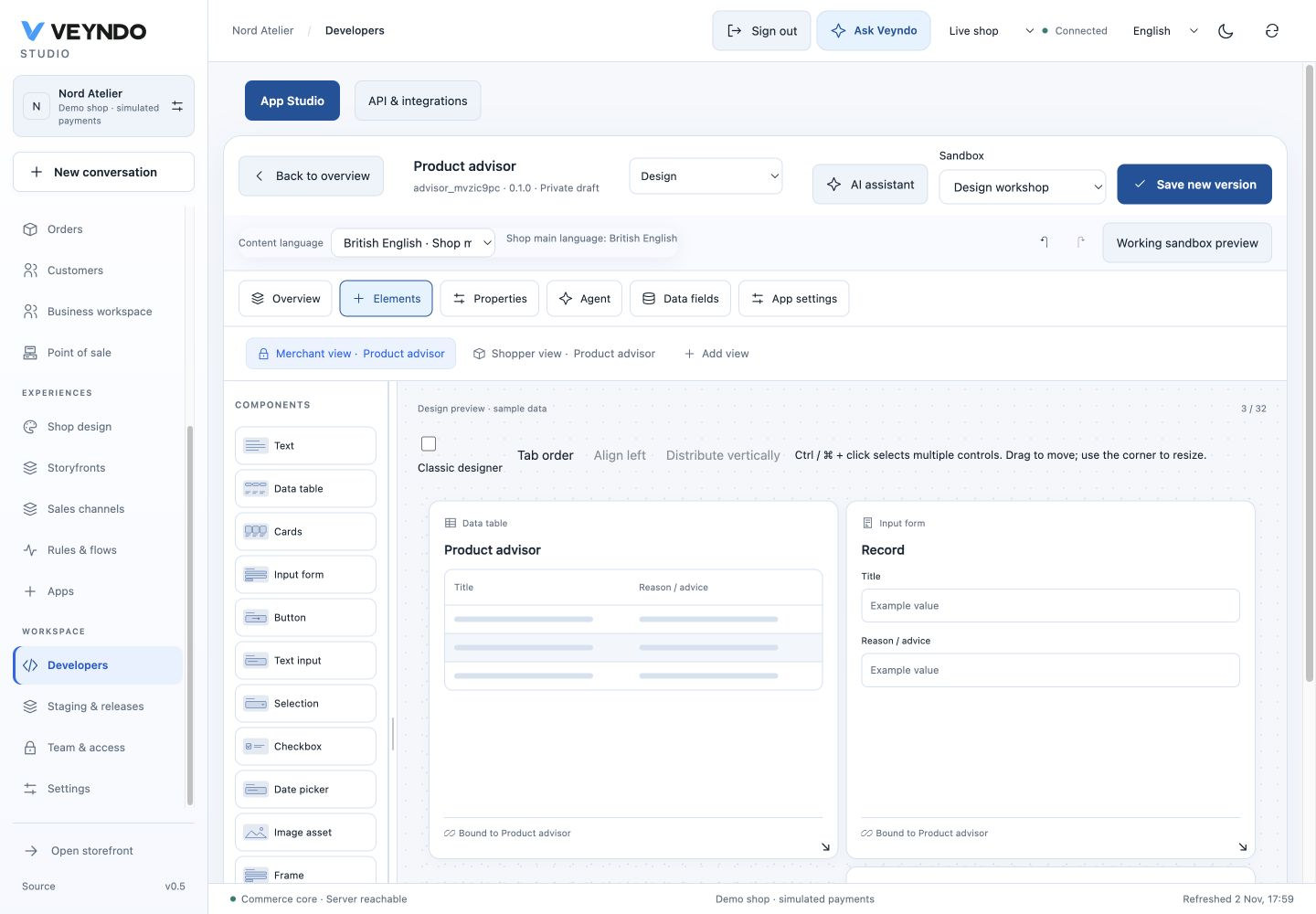
A form in Design preview · Sample data shows structure, not editable customer records. Select it to change the actual field labels in Properties, or use Edit form fields to open its data model. The real sandbox preview uses installed native views and the same authorized record actions as a released app.
The assistant is a separate side panel
Use AI assistant in the app toolbar, or Coding agent. A panel opens on the right without changing the selected design/data/settings view. Escape, the close button or the backdrop returns to editing; unfinished text remains available when reopened. On a phone the panel fills the screen. Native modal behavior contains keyboard focus and restores it to the opening control.
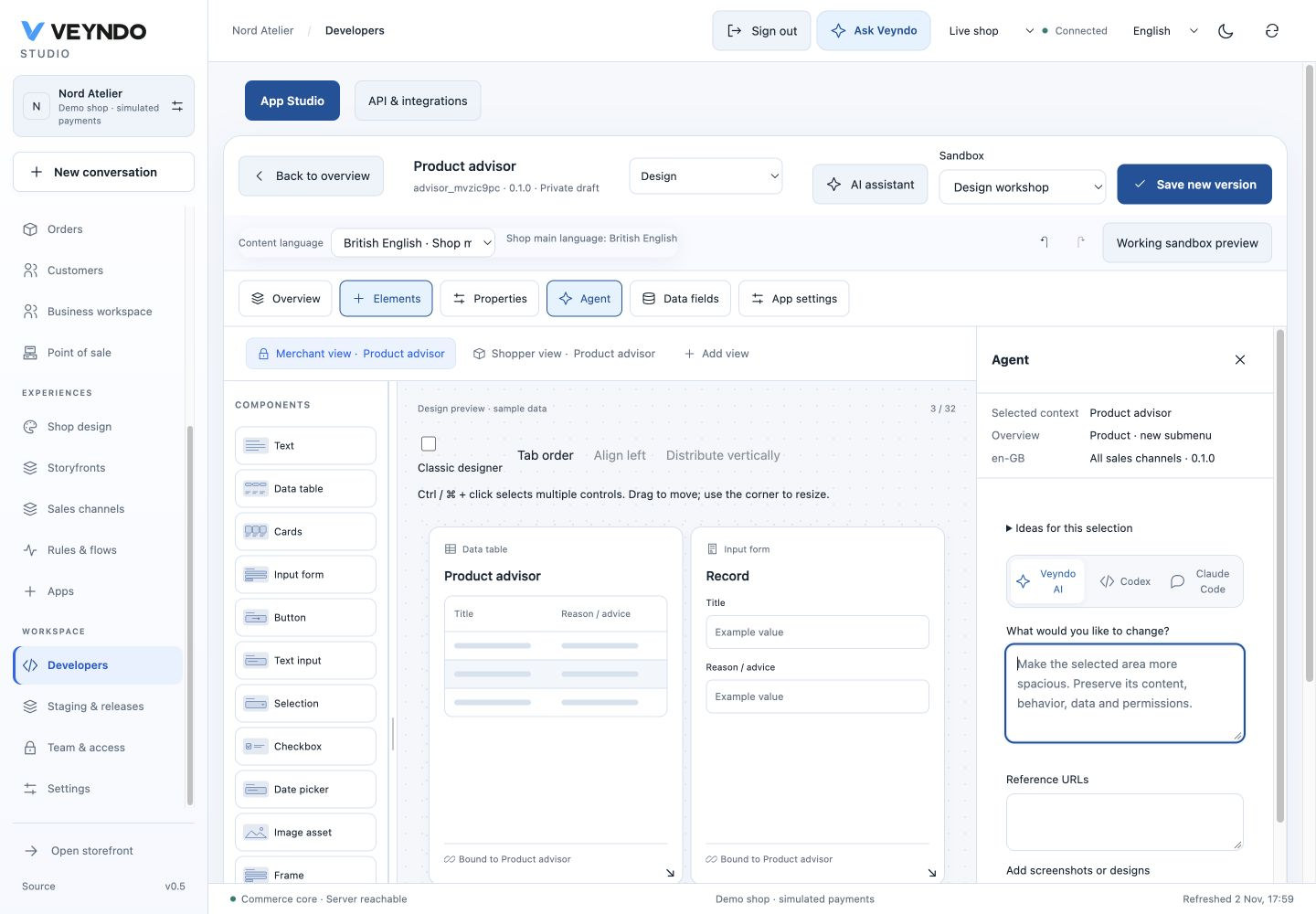
Describe the desired change. Veyndo AI uses the configured provider and prepares a proposal for review. Codex and Claude Code prepare an exportable task containing the current Manifest and schema; this is a handoff/import workflow, not automatic execution of a local shell. Imported changes use the existing proposal review and native contract validation. Schema download and manual JSON import are collapsed under Schema & manual import. Credentials are never embedded in agent tasks.
The composer distinguishes a bounded edit from Extend the complete app. In the latter mode it can add a data model, settings and a native interface as one versioned proposal, preserving existing behavior. The comparison offers Test this version privately before adoption; save/select/edit real records there. A native validation error permits one bounded proposal repair under the same provider and authority. Current walkthrough and actual public captures.
Make a button do something
Select a button and edit its behavior. Choose understandable operations such as Check form, Run app action, Show message, Check condition or Open view. The preview draws the actual bounded UI instruction tree with the existing Flow Builder topology, including both conditional branches and their continuation. BASIC/JSON remain advanced representations of the same instructions.
This does not create a second automation engine. Server actions retain their
current permissions. Native record changes emit the existing app.record.changed
event; open the real Flow Builder to continue with a server-side workflow.
App settings after installation
In the app editor, App settings declares up to 16 fields: identifier, localized label, type and required flag. Supported types are text, secret, boolean and integer. Do not place a token or other real configuration value in a declaration.
After installation, open Apps → installed app → App settings. A current personal
administrator with team.manage can enter values and explicitly approve them for
the active package digest. Writes also carry the current revision. Secret inputs
are write-only, cleared after saving, and are never returned by GET. Empty secret
inputs preserve a configured value; the API supports explicit null for clearing an
optional value. Changing a package digest requires review/re-entry.
Values reuse the existing authenticated app-secret encryption and tenant/app/digest
fences. They are operational live-only state: they are not copied into a
sandbox, published with a release, restored from history or included in native
browser payloads. Caller input plus resolved settings must fit the existing 64 KiB transport budget.
Only declared private service actions receive the resolved
object as server-owned _appSettings. Caller input cannot override it. Native
browser views and public actions receive no settings secrets. This release does
not add secret lookup expressions to native UI code.
Migration 096-app-settings.sql extends the existing secret-kind constraint; it
creates no second configuration table. Strict production serve mode requires the
normal privileged provisioning/migration path before rollout.
Data models: isolation and practical limits
App models use validated logical identifiers in four fixed shared PostgreSQL
tables: app_models, app_records, app_record_indexes and
app_record_references. Full tenant/app/model/record keys, forced signed row
security and composite references isolate records. Declaring an index creates
lookup rows in fixed indexes; it creates no physical table or index and grants no
SQL access. See storage and migration.
| Resource | Bound |
|---|---|
| Models / package | 12 |
| Fields / model | 16 |
| Indexed or unique fields / package | 64 |
| Registered package IDs / shop | 128 |
| Stored rows / tenant-app | 100,000 |
| Recorded storage / tenant-app | 64 MiB |
| Native list page | 100 records |
| Declared equality filters / request | 4 |
Installation serializes through the existing tenant lock. Existing package IDs can still update at the cap. These controls bound schema/data growth in the shared runtime. They are not an unlimited-scale promise, a full physical index-byte meter or a distributed DDL scheduler. Review schema changes before installation/release.
API access that is understandable and explicit
API & integrations separates key name, lifetime and expiry days. Permissions are searchable, grouped by responsibility, and display a readable caption with the technical ID in parentheses. The same picker is used by team/role configuration.
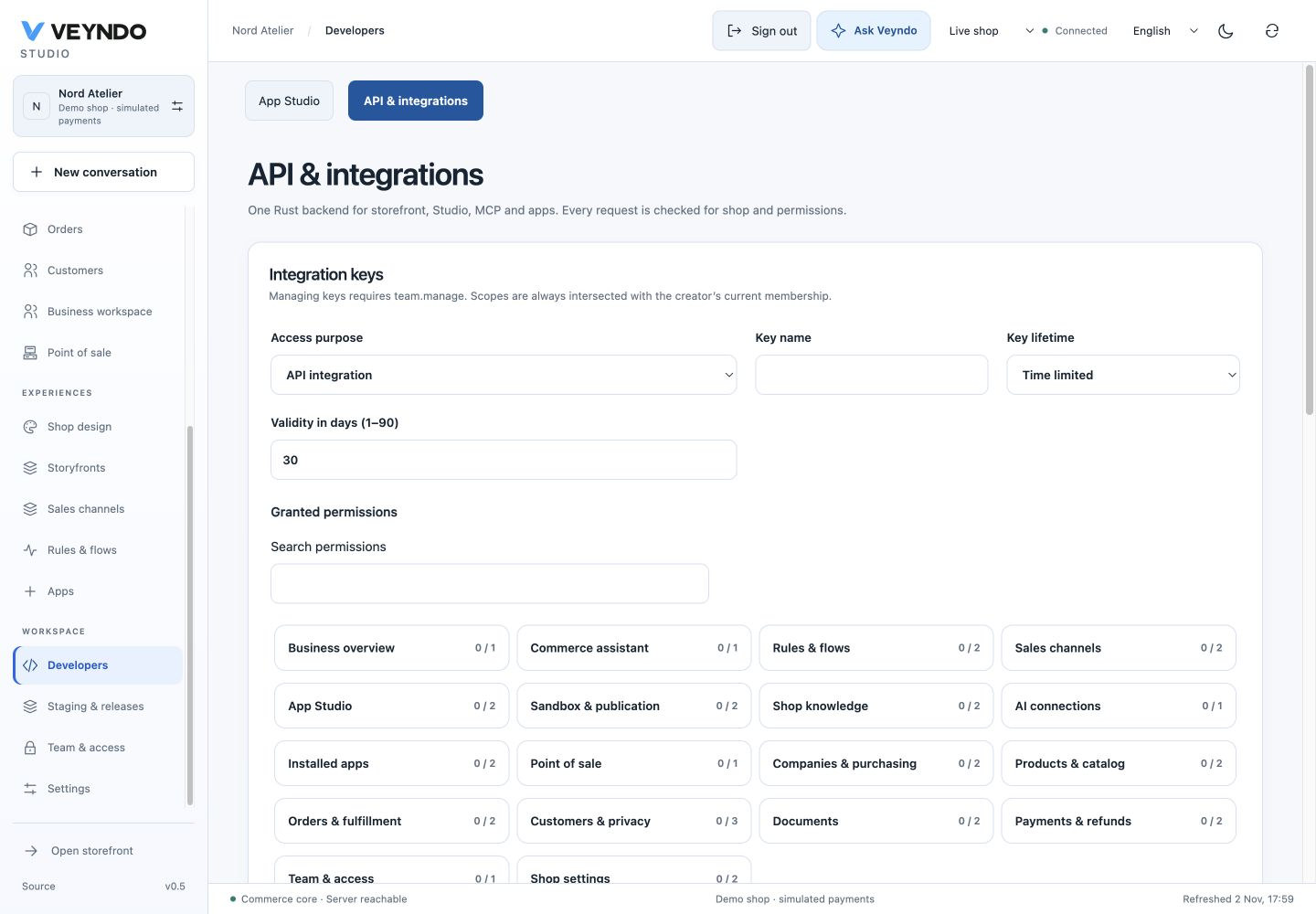
Current personal administrators may explicitly choose No expiry. The API uses
nonExpiring: true; lists return expiresAt: null. These keys count toward the
existing active-key cap, remain restricted to current creator membership and are
immediately revocable. An integration credential cannot mint a permanent child
key. No expiry is not an owner impersonation or a frozen permission grant.
Verification and remaining boundaries
The local verification includes the actual Rust HTTP/PostgreSQL path for setting redaction, private service delivery, wrong-type/unknown-field rejection, stale revision/digest, foreign tenant, low-right, public and sandbox denial; permanent key admission, current membership and revocation; native multi-placement registry, version staging and selected release; app schema, visual workspace and real RLS negative cases. Frontend tests cover placement compilation, stack drag/reorder, model-backed captions, bounded resizing, branching topology, settings and assistant open/close with unfinished input retained.
The local run passed 531 frontend tests across 98 files, 178 Rust tests, TypeScript/build/format/localization/structure checks, the six selected real HTTP suites and a final native App Studio rerun. The complete documentation build checks 224 Markdown sources and their rendered links/assets. These are verification results for this change, not a statement of 100% whole-codebase coverage.
The current inline screenshots were refreshed on 2 November in the isolated Nord Atelier demo. The earlier Chrome checks used synthetic local shop Atelier Preview. Both capture sets show real UI, not mockups. They verify the compact palette, field editing, modal assistant and API console. Paid model inference and real provider credentials were not used for this UI check. The shared native checkout contains the new app mounts; this work did not rerun a separate private Storyfront editor/provider certification.
The exact personal && administrator predicate is extracted to Lean with denial
claims and mutations for either missing check. That proof does not cover SQL,
encryption, third-party services or the browser. See testing,
app security and formal verification.
App idea and optional rule checks
The business-capability guide adds the App idea tab to the same Manifest editor. Describe the outcome, optionally add requirements and open the shared agent with that brief, or jump to visual design. Missing main-language goal/requirement content is explained in place with a direct switch to correction; no translations are silently copied. Automatic rule checks remain available under an explicit disclosure. Localized intent and assumptions remain editable; frozen cases show expected input and decision. Saving/installing executes declared pure cases in the existing WIT sandbox. The selected editor now omits the app library and large introduction; Back to overview retains the draft and opens the normal library. The contextual assistant continues to use the existing modal and coding-agent round trip.
Studio connection presentation is checked against the current shop and sandbox during render. A new scope cannot briefly inherit the previous connected view; a connection not yet checked displays pending instead of failure. Existing expiry, same-account resume, current permissions and server guards remain authoritative. Slow-sandbox, language refresh, failure and scope-change regressions exercise the shared controller rather than a separate editor session.
App creation UI verification — 16 October 2026
The creation-dialog update passed 577 frontend tests across 104 files, the
production build, four-language localization and the source ownership/structure
checks. New interaction cases cover the complete placement registry, six-area
admission with deselection, an empty selection, keyboard selection, regional names
and opening invalid advanced inputs. The registered real Rust/PostgreSQL
app_studio suite passed its six end-to-end checks, including native views,
immutable versions, private staging, selected publication and denied access.
Chrome checks use the local synthetic Nord Atelier shop: create a draft with product detail, header banner and checkout summary; save through the existing private sandbox version path. Responsive selection was checked at 1280 px and 390 px, with no horizontal overflow in the creation card. Dark appearance uses the actual Studio tokens. Screenshots are from the real built UI. This is local acceptance; it does not imply a production rollout or external AI/provider test.
Find an unfinished app connection
The existing Before publishing panel now checks references in the current draft: placements to native views, blocks/actions to models, model relations, nested UI calls, API routes, schedules/webhooks, and Intelligence model/tool declarations. A broken reference names the affected object and opens its existing design, data or connection editor. Commerce hooks without frozen decision examples link to the app idea/checks view. Optional features are not demanded from an ordinary content app.
These are actionable draft hints. Rust validation at save/install, current runtime rights and explicit MCP tool admission remain authoritative. Required settings are listed as declarations; the panel does not read secrets or pretend installation configuration has been completed. Use Versions & releases → Customer simulator to test the version actually installed in a private sandbox before selected release.