
English source · 6 min
Build a catalogue from the merchant assistant
The merchant assistant helps operate a shop. It is separate from the public shopping adviser. The Studio welcome actions now use merchant tasks rather than a buyer’s reading-corner example or a hard-coded demo SKU.
Open Assistant → Upload CSV / Product or shop URL / Describe sample products.
These actions also stay next to the composer after a conversation has started.
Attach the CSV directly with the composer paperclip or drop it onto the conversation.
A description or complete HTTPS URL already in the message is carried into its
matching source dialog. Changing shop, private environment, language or permissions
discards an unfinished attachment handoff. They require current catalogue read and write permission. AI extraction/generation also
requires assistant.use; deterministic CSV preparation does not.
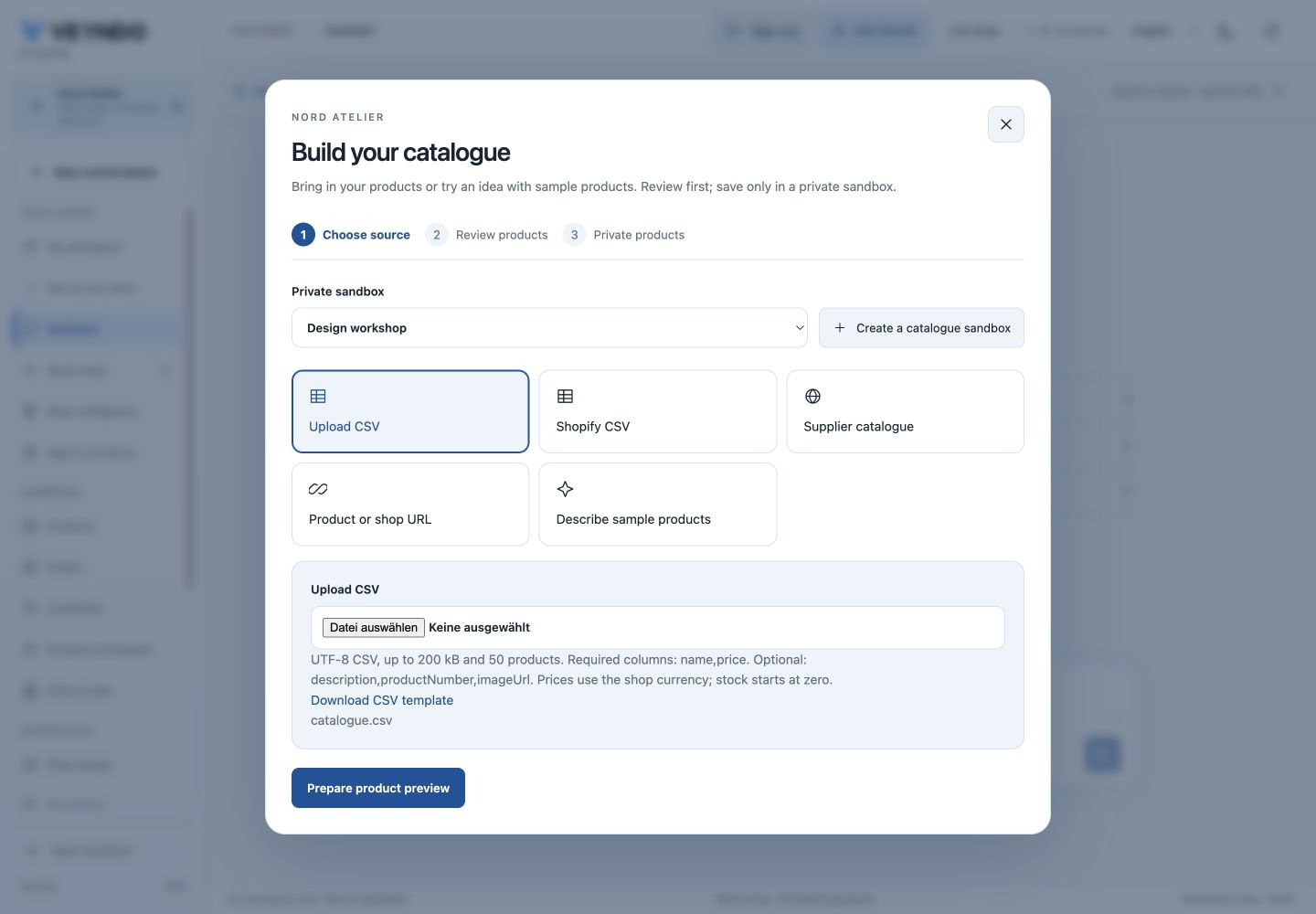
One private workflow
- Choose an existing private sandbox, or explicitly create one if your role has environment management permission. The selected sandbox is shown inside the dialog; this does not silently switch the entire Studio into another shop.
- Upload a source, enter an accessible public HTTPS product/shop page, or describe fictional products and select a quantity from 1–10.
- Prepare the preview. This step creates no products. Review the actual main content language and price currency, edit names/descriptions/prices, inspect product numbers/image URLs and select the products you want.
- Confirm the tax rate. There is no invented tax default; one explicitly configured default rate can prefill the field. This is not tax advice or automatic legal classification.
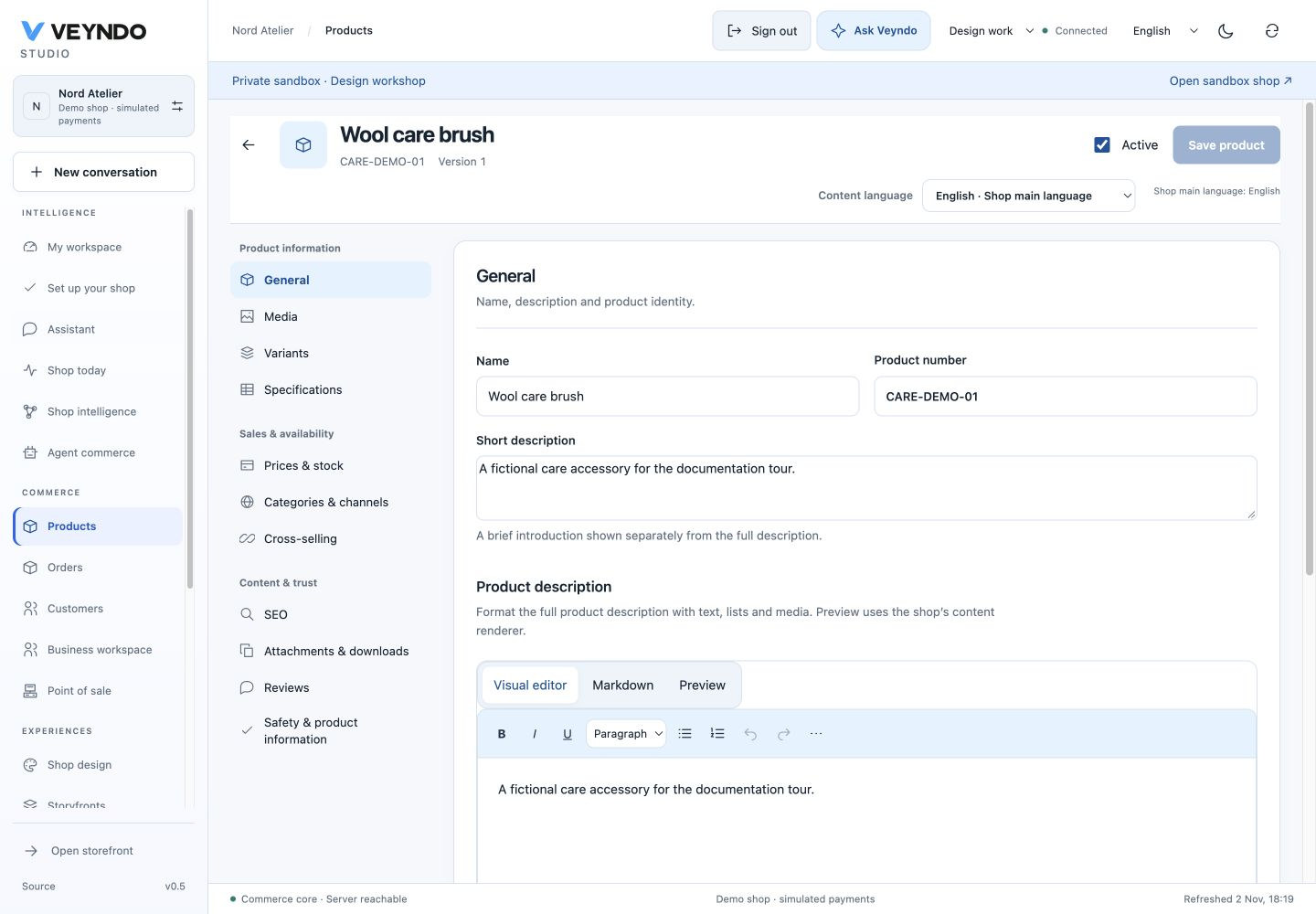
- Explicitly create the selection in the sandbox. Each product reports its own saved/error state. Open it in the ordinary native product editor. Opening across the environment boundary retains the exact product ID only for that destination.
- Use Review publication after saving. This opens the same selected private environment in Staging & releases. Product selections show their localized names, with technical identifiers available in details. Publish only the chosen changes. This dialog cannot publish live products or overwrite existing ones.
A compact progress row follows source → review → private products. After creation, the product editor remains the place to review/apply prepared images, add your own media, maintain inventory and review translations. These are actual native products, not a second set of import-only records. Sandbox stock is never published.
CSV format
UTF-8, optionally with a BOM; comma or semicolon delimiter. Quoted delimiters, quoted newlines, doubled quotes, CRLF and decimal commas are supported. Up to 200 kB and 50 products per reviewed batch. Oversize/invalid input fails as a whole, with no silent row truncation. Invalid row metadata includes the actual CSV line.
Required headers: name,price. Optional: description,productNumber,imageUrl.
The dialog downloads a matching template. This is a bounded creation importer,
not general legacy field mapping, stock reconciliation or a full migration tool.
Prices are in the displayed shop base currency. Imported products start with zero
stock; stock must be deliberately maintained through the existing inventory path.
Only the shop main language is populated; other languages keep native inheritance.
name,price,description,productNumber,imageUrl
"Reading chair",189.00,"A merchant-supplied description",CHAIR-01,
Product URLs and AI demo products
URL extraction captures a bounded accessible HTML page, including JSON-LD. It uses the existing public-only DNS-pinned HTTPS client; credentials, private IPs, redirect following and ambient proxies are not allowed. Product query parameters are retained without changing those network protections. It is not a JavaScript browser or a whole-shop crawl. Empty extraction, oversized/unavailable pages, malformed model output and provider failures remain visible. Dynamic pages may require a product detail URL or CSV. Review currency, facts and image usage rights; a valid schema does not prove that model extraction is faithful.
Described demo products are explicitly fictional, with illustrative prices and sandbox stock 20. A model cannot invent an already-generated image URL. Optional image preparation uses the existing durable media jobs, up to ten pending images per shop. Products and image jobs report separately: a saved product does not mean an image succeeded. Images remain private previews until reviewed/applied in the product editor, then the ordinary product save attaches the selected media. A missing image provider disables image preparation. No fake image fallback is used.
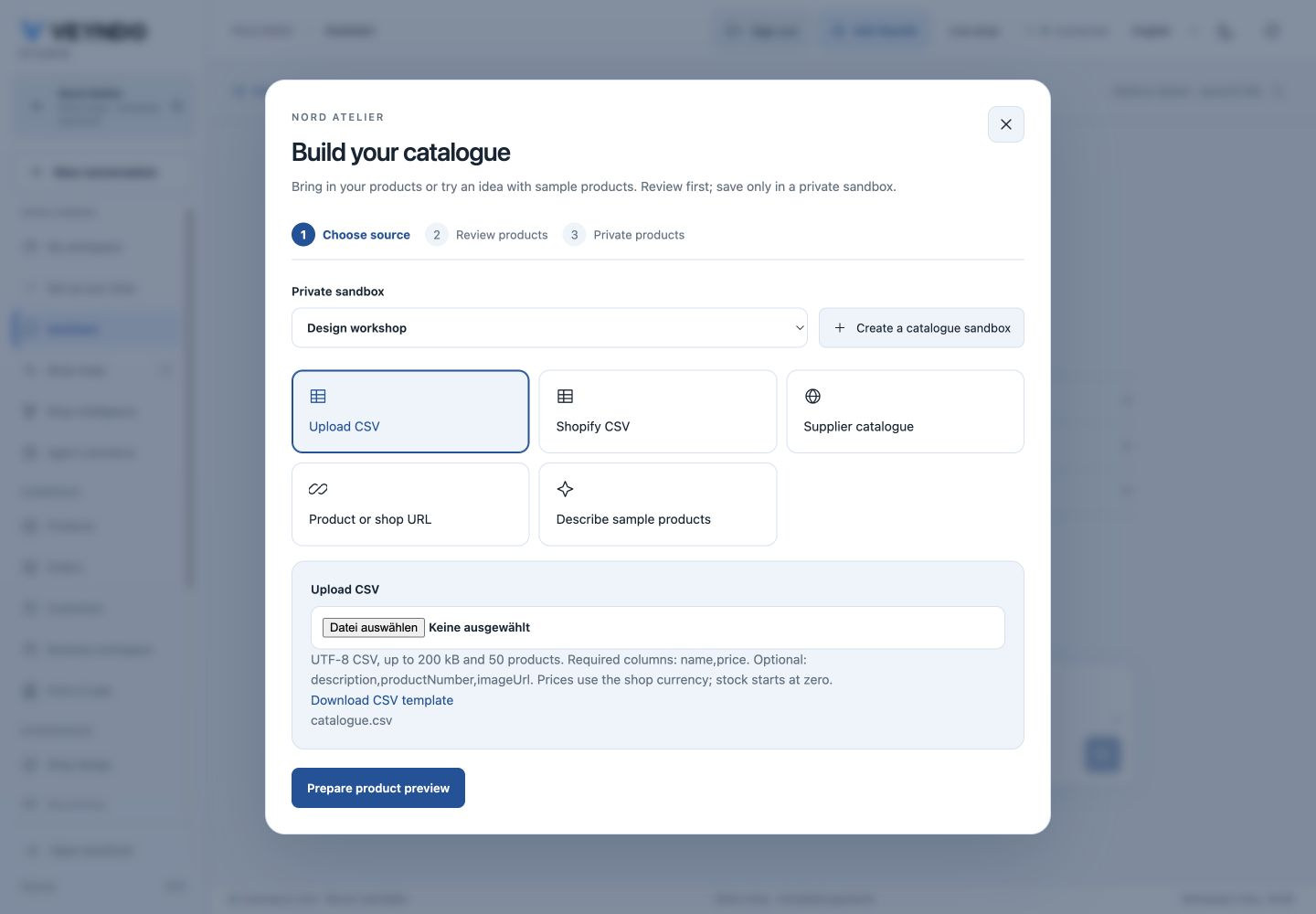
The source chooser is also checked at 390 px without horizontal overflow.
Native ownership, permissions and versioning
commerce/catalog_intake/ prepares drafts and adapts approved input to the existing
product creation owner. There is no new catalogue, import database, planner queue,
Python service or image worker. Existing native creation keeps product history,
knowledge synchronization, category/channel handling and committed product events.
The same central inference settings, provider choice, per-process/fleet admission
and live-shop daily attempt quota apply to AI preparation, including MCP calls.
Source content is untrusted evidence, never instructions or authority.
| Operation | HTTP | Current authority |
|---|---|---|
merchant.catalog.context |
GET /api/merchant/catalog/intake |
catalog.read |
merchant.catalog.prepare |
POST /api/merchant/catalog/intake |
catalog.read + catalog.write; AI modes additionally assistant.use |
merchant.catalog.save |
POST /api/merchant/catalog/intake/save |
catalog.read + catalog.write, private stage, explicit approval |
The canonical native registry supplies MCP schemas/dispatch. Only the context read is offered as an autonomous read tool. The merchant planner knows its current workspace, live/sandbox state, main language and available rights; it explains the catalogue dialog instead of executing product creation inside an unapproved chat. Existing completed conversation text is retained, rather than rewritten as if the old model response had never happened.
Every reviewed row receives a stable UUID. Retrying exactly the same creation
returns the existing result; changed content with that ID is rejected. Existing
product numbers cannot be overwritten. Saves bind main locale, base currency and
settingsRevision. The ordinary product transaction checks that configuration
revision under its settings lock, so a stale preview cannot slip through a
concurrent settings change. This optional settings revision guard is also accepted
by the existing product creation/edit payload. There is no stock rollback or new
release unit: product/asset publication continues through the existing staging owner.
Verification and limits
16 October local verification uses actual Rust HTTP/MCP, PostgreSQL and Chrome:
CSV upload → editable preview → selected private products → direct product editor.
catalog_management additionally verifies deterministic quoted CSV, invalid line
metadata, no partial preparation, explicit approval, live/foreign denials, stale
configuration, replay without overwrite and selected native publication.
image_jobs uses a local synthetic model and Images provider to verify described
product → native sandbox product → actual generated fixture PNG bytes/private
image review, invalid output, missing/failed providers and blocked private URLs.
durable_agents checks that actual model requests include merchant/catalogue/sandbox
context while retaining worker-kill/restart/revocation/explicit-continuation tests.
Frontend tests cover actual file bytes, invalid UTF-8/file types, delayed file reads after source changes, explicit preview/save, fifth main language/currency, rights, missing image providers, localized CSV line errors and exact cross-scope editor navigation. Screenshots are synthetic local data, not production acceptance. These checks prove the wiring and state effects; they do not establish the semantic quality of a real paid model, extraction accuracy across arbitrary shops or a public rollout. The existing testing guide and browser session boundaries remain authoritative for broader system acceptance.
22 October continuation
The composer attachment, description/URL handoff, native image editing and selected one-product publication were exercised in Chrome locally and on the public runtime from PR #193. The public test created two private CSV products, published only the reviewed chair and retained the side table privately. It then saved a demo image through the native product editor. Source handoff is distinct from a paid model or image-provider acceptance. Steps, screenshots and exact acceptance boundary.