
English source · 4 min
Workshop 1 — Product care advisor
Build a product editing tab for care instructions and a read-only card on its product detail page. A merchant manages the advice; shoppers read only explicitly published product-bound records. No separate frontend database is introduced.
Workshop setup and release steps · Canonical starting package
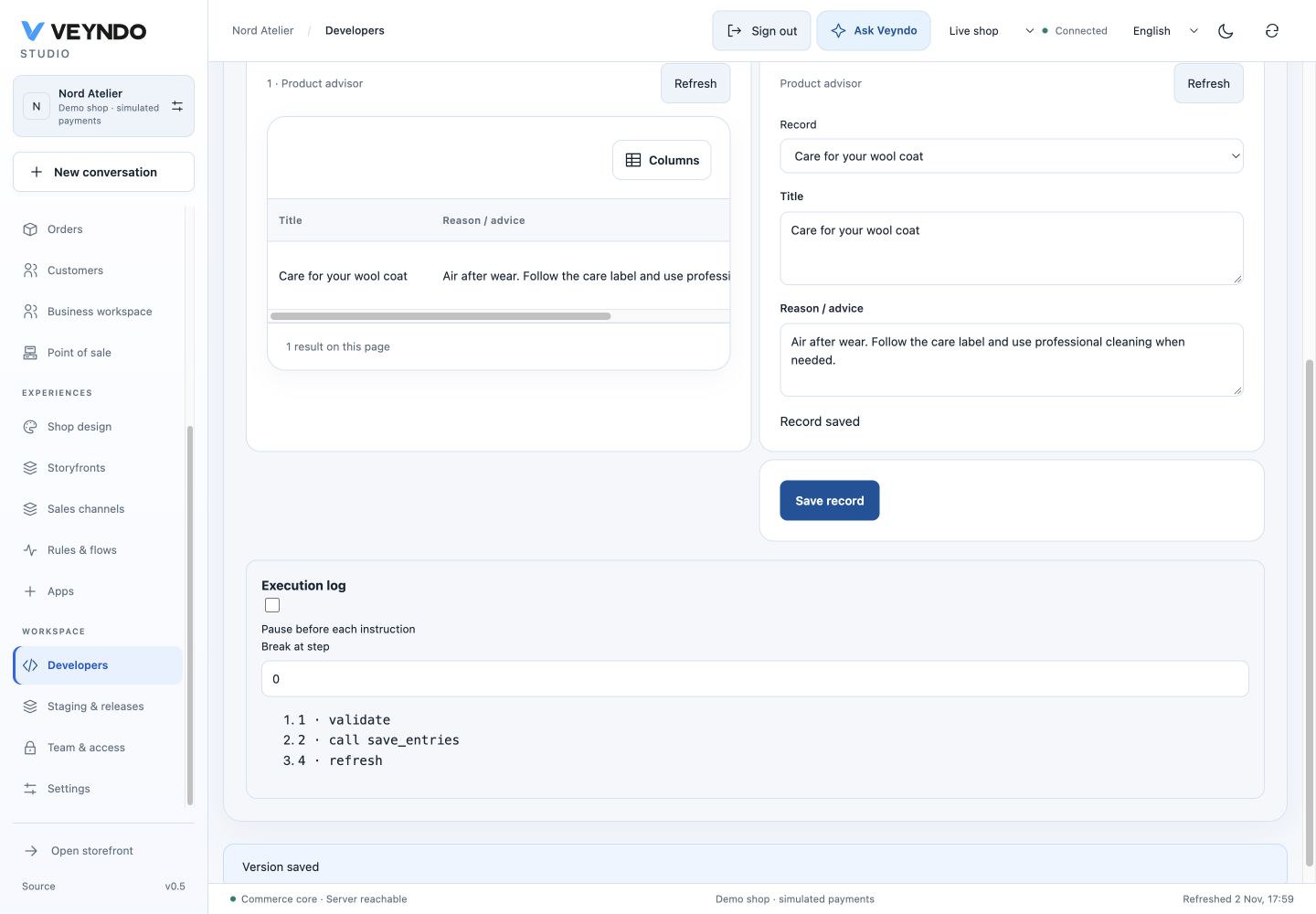
Current shared workspace, captured 2 November 2026. The linked earlier worked examples preserve their original field definitions and outcomes.
1. Start with the pattern
Open Developers → New app → Product advisor under Start with a working pattern. Confirm draft replacement only after saving other work. The pattern opens two views: a private workspace and a shopper view. Its generated app ID is unique; use that actual ID when configuring API or AI access later.
Earlier worked example: Product advisor table, bound form and validated save button

Actual Design preview. Grey rows and “Example value” are labelled sample data; they are not saved advice.
2. Shape the fields and interface
In Data models, keep the required indexed product_id with Core object →
product. Rename the displayed model label to Care guide. Keep the technical
field IDs stable; set title's label to Care topic and body's label to
Instructions. Both accept translated content.
In Design, select the private view. The pattern already includes a data table,
record form and Save button. Change their captions through the property inspector.
The form and table retain product_id → productId context; the selected product
is not an arbitrary editable cross-shop ID.
Switch to the shopper view and retain read-only cards. Do not add a write form to this public placement. The private surface is Product · new submenu and the public surface is Product detail.
3. Review exposure and optional intelligence
Earlier worked example: Product list is public; saving requires catalog.write

In Connections, verify these separate choices:
| Setting | Value for this workshop |
|---|---|
Model publicRead |
Enabled for the advice model only |
list_entries |
Public, read-only, product-bound |
save_entries |
Private, requires catalog.write |
| Admin surface | Requires catalog.read and allows list/save actions |
| Product detail surface | Allows only the public list action |
| MCP and merchant AI | Off initially; select deliberately if needed |
To let authorized merchant AI consult the guide, select the list tool and model in AI & MCP tools. MCP discovery is a separate per-action setting. You can map selected fields under Knowledge graph mapping with an app-owned node type; see the ontology-care example. This exposes current app records with their rights/revisions. It does not certify care prose as a verified product fact or train model weights.
4. Test and publish
Follow the common preview/release loop. Install into a staging environment containing a synthetic product. Open Products → that product → the new app tab. Save Washing / Wash at 30 °C; air dry, close and reopen it. Verify the same saved record appears. Switch the content language, add its translation, then check main-language inheritance for an untranslated field.
Publish the package and deliberately select the advice records intended for shoppers. Open that product's detail page and check its card. A different product must not display this guide. An anonymous shopper must not save a record; a catalog-read-only teammate must not update it either.
Ask the coding agent
Extend this Product advisor Manifest into a care guide. Retain product_id and
product context, the private editing tab and the public read-only product card.
Rename displayed labels, not technical IDs. Add an optional translated warning
field and show it in both views. Preserve catalog.write on saving; leave MCP off.
Use the selected shop languages and main-language inheritance. Keep all app files
under the app's own package. Return a reviewed Manifest edit, not core changes.
Review new fields/surface/action exposure before accepting the generated edit. Saving a care guide alone does not provide conversational shopper AI. For that, use the existing product knowledge and answer path with its source visibility and configured inference.
Ownership and regression evidence
The starting model, UI, AST and access declarations live in
extensions/apps/product-advisor/manifest.json; the picker clones it through the
shared compiler. app_studio and app_assistants exercise product mounts,
revisioned writes and public/private actions. app_ontology separately exercises
authorized graph projection. The screenshots show the current editor, not a real
customer publication or a paid model call.