
English source · 3 min
Workshop 3 — Customer preferences in the existing editor
Create a private customer section with merchant notes and a Standard/Priority choice. The app stores these fields in its own model and links them to an owned customer. It does not make private customer data public or duplicate the CRM.
Workshop setup and release steps · Installable customer example
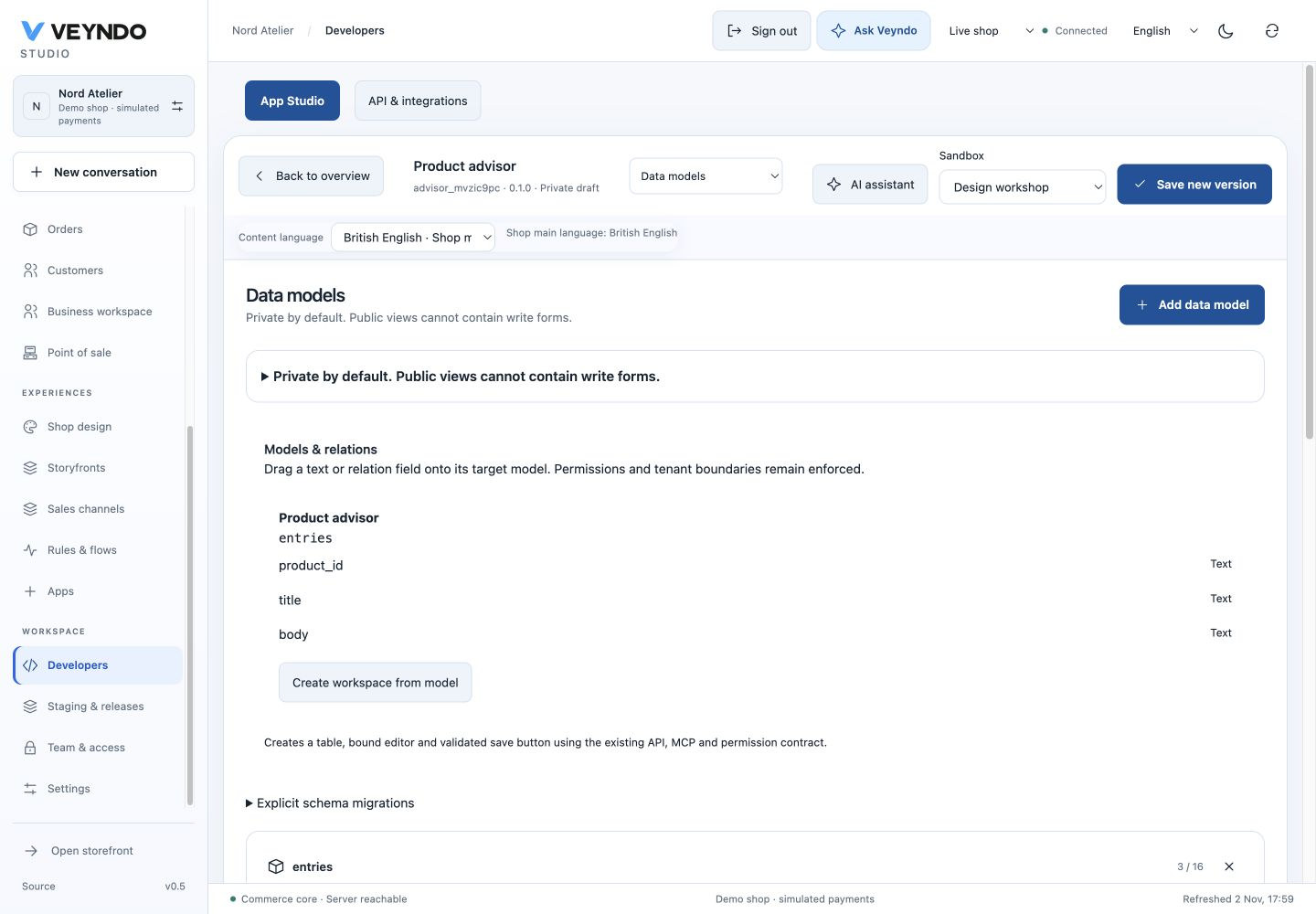
Current shared workspace, captured 2 November 2026. The linked earlier worked examples preserve their original field definitions and outcomes.
1. Configure the assistant
Open Developers → New app → Admin app. Enter Customer preferences, choose
a unique technical ID such as tutorial_customer, and select Customer ·
additional fields. Leave Expose action to MCP / agents disabled. Create the
editable draft; resolve the replacement prompt only after saving earlier work.
Earlier worked example: Customer placement and explicit MCP choice in the guided assistant

2. Keep the customer relation; edit labels and choices
In Data models, the assistant supplies required indexed customer_id with
Core object → customer, translated title and body, plus segment choices.
Keep Allow shoppers to read this model off. Rename the displayed labels to
Preference subject, Merchant notes and Service level.
Earlier worked example: Customer-bound fields in the real draft model

For segment, retain technical values standard / priority; edit their
displayed labels through Content language. Changing a caption is not changing
stored choice identity. An unknown choice is rejected by the native validator.
Earlier worked example: One language at a time for choice captions; stable technical values

An optional new field can be added with Add field. For example, add a boolean
contact_requested with a translated label. This records a merchant workflow
request; it is not legal marketing consent and must not replace the existing
privacy/consent owner.
3. Place the form and set rights
In Design, retain the customer context on table/form blocks. A Selection
control can bind to segment in that same form. In Connections, inspect the
Customer · additional fields surface and its actions. Reading requires
customers.read; saving requires customers.write. Keep public, MCP and AI
access separate and off unless the intended capability is reviewed.
The generated form already uses the native write action. Additional independent inputs join it only when the model and current record resolve to one form. Do not turn customer IDs into freely editable text controls.
4. Test the actual customer placement
Save/install the version in staging with two synthetic customers. Open customer A, add a subject/note, select Priority, save and reopen. Customer B must not show A's app record. Try a read-only teammate and verify saving is denied. An anonymous storefront request must not reveal either customer's records.
Switch to German/Spanish content labels and check main-language fallback. Release the app package separately from test records, then open Customers → customer with the intended live team role.
Ask the coding agent
Improve this private Customer preferences app. Add an optional contact_requested
boolean and a translated display label. Bind it to the existing customer form;
keep customer_id, existing choices, stored field types and action rights. Use
customers.read and customers.write. Do not expose personal records to the
Storefront API, MCP or AI automatically. Do not treat this field as marketing
consent. Keep implementation and resources in the app's own directory.
Ownership and regression evidence
The canonical assistant produces a normal Manifest. The repository keeps an
installable result under extensions/apps/assistant-examples/customer.json.
app_assistants tests real customer/order fields, scope checks, private reads,
MCP opt-out and foreign-reference rejection. The screenshots are actual draft
setup/model views, not evidence that every merchant has installed the example.