
English source · 5 min
Workshop 5 — ERP order handoff with a managed workspace
Build an editable mapping workspace and a contract for order-event delivery and explicit synchronization. The visual app defines data, UI, rights and actions; an independently deployed, approved service implements actual ERP behavior. The pattern is not a ready-made integration for every ERP product.
Workshop setup and release steps · Canonical starting package
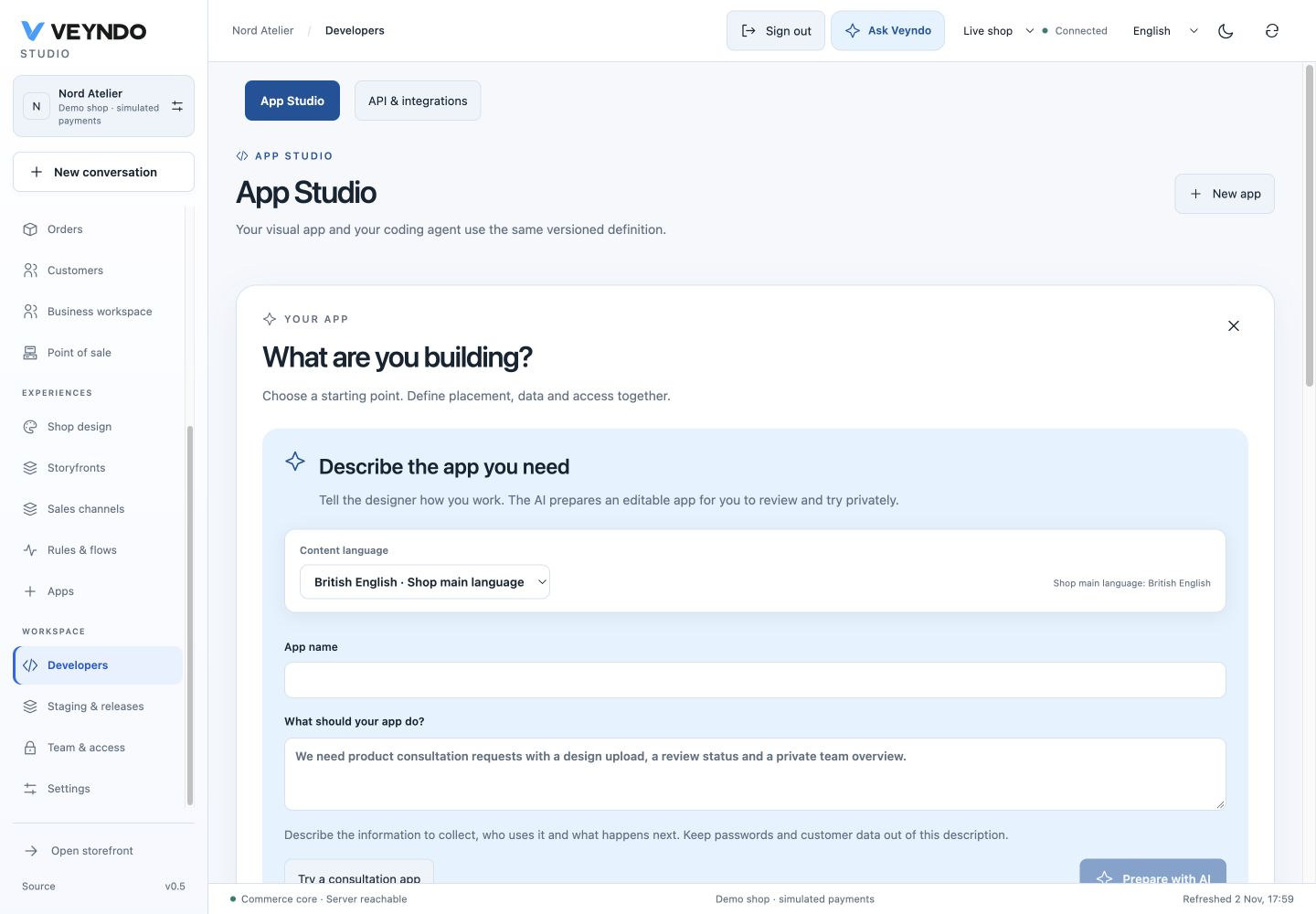
Current shared workspace, captured 2 November 2026. The linked earlier worked examples preserve their original field definitions and outcomes.
1. Open the contract and mapping UI
Choose Developers → New app → ERP handoff. The pattern includes private
records, a table/form/save workspace, the synchronize service action and an
order.placed subscription. In Data models, keep stable technical IDs and
add fields for the integration you actually need: for example a merchant-owned
mapping label and an ERP-side identifier. Do not store credentials as app records.
Version 0.2.0 already includes a required indexed order_id with Core object →
order. The synchronization button validates the same editor and forwards its
owned order ID. Existing pre-0.2 mapping records need an explicit migration that
fills genuine owned order references before schema approval.
2. Inspect subscriptions, actions and rights
Earlier worked example: ERP order-event subscription, filters, batching and optional signed delivery

In Connections → Automation contract, inspect order.placed, permitted
filters and Events per delivery (1–25). An empty signed-webhook destination
uses the configured app service. A public signed HTTPS destination additionally
needs events.send consent and its encrypted signing secret; do not enter an
internal/private-network address as a merchant-controlled destination.
synchronize is private, Flow-enabled and requires orders.write in the starting
pattern. Its declared input is { "payload": { ... } }. List/save of mapping
records and the native surface already use orders.read/orders.write.
Keep customer records out of public routes. MCP exposure and merchant-AI tool
selection remain independent decisions.
3. Implement and approve the external service
Keep its Manifest, service, assets, translations and tests under
extensions/apps/<your-erp-app>/ or its separate private repository. Use the
existing app service/action contract and
event receiver SDK, not a new core route.
The included Rust adapter is a
runnable implementation in this package. Its SQL receipt store, provider calls,
configuration and tests stay there. The shared signature verifier is
extensions/sdk/rust-events.rs; the
independent Python example remains an optional extension example.
The operator obtains the reviewed package digest through the existing core:
target/debug/veyndo --app-digest extensions/apps/erp-handoff/manifest.json
For an edited/generated app, hash its actual exported package, not the unedited
starting pattern. Configure the service through operator-owned APP_SERVICES:
{
  "YOUR_ACTUAL_APP_ID": {
    "url": "https://erp-app.example.test",
    "token": "SERVER_SECRET_INJECTED_BY_OPERATOR",
    "approvedDigests": ["RUST_CANONICAL_PACKAGE_SHA256"]
  }
}
These are placeholders, not usable credentials. Native workspace UI needs no custom UI URL. If supplying an opaque custom UI, additionally configure its exact approved bytes/digest through the existing UI contract. Follow service security and callback scope; a merchant-provided app ID cannot authorize a new service URL or operator identity.
The service validates the gateway identity/envelope, persists a stable event
idempotency key, translates the order into the ERP's schema and records the
actual external result. An event subscription and a manual synchronize action
are separate entry points; do not blindly perform the same external operation
from both. Use a durable service inbox/result for retries and reconciliation.
4. Test delivery, restart and denial
Use F5/staging for the managed editor and mapping records; remote calls and external event delivery are blocked in private previews. For actual integration, use a disposable live local test shop with an approved local fixture service as the existing integration suite does. Place a simulated order. Verify the event contains the permitted payload, reaches the expected app/tenant, and persists one service receipt. Replaying/restarting must not duplicate the external effect. Missing service configuration must fail visibly rather than pretending the ERP received the order.
Test the action with allowed and read-only roles; a foreign shop cannot invoke your installed service or read its records. A callback key grants only explicit approved app/tenant/package operations, not unrestricted Admin API access. Publish the reviewed package only after its service configuration and real integration tests are ready. Test ERP Sandbox/Live separately with approved data.
Ask the coding agent
Extend this ERP handoff app with private order-bound synchronization cases,
translated status labels and the existing mapping workspace. Preserve existing
field types, service actions and order.placed subscription. Keep MCP/public
access off. Use the current app event SDK and operator-approved service gateway.
Persist deduplication and explicit failed/uncertain results inside the app service.
Keep every app file under its package; add no ERP implementation to the core.
Return the Manifest proposal plus service implementation and integration tests.
App Studio can review/import the Manifest; it does not deploy arbitrary service source. The independent build/deployment and operator approval remain explicit.
Ownership and regression evidence
extensions/apps/erp-handoff/manifest.json owns the starting UI/schema/event
contract. app_assistants exercises service-runtime packages with native managed
views and real local service calls; app_events, app_callbacks and services
cover scoped delivery/callback behavior. These fixtures do not establish parity
with a commercial ERP or a successfully deployed custom service.
All five workshops · Complete app contract
Run the included adapter
Follow the package README for its app-only database role, schema and operator
configuration. Its POST export expects a JSON receiptId; its reconciliation GET
expects the ERP's receipt for the same stable idempotency key. Concurrent manual
and event requests share one durable claim. Timeout or malformed confirmation is
shown as uncertain and requires explicit reconciliation, never blind retry.
The registered erp_handoff test runs real Rust processes, PostgreSQL forced RLS
and a local ERP fixture, including restart and denied foreign access.
Optional signed incoming delivery uses /signed-events with a configured
webhookSecret. Model/MCP exposure stays off unless independently reviewed.
An app receipt is not a payment receipt or a second Commerce order ledger.